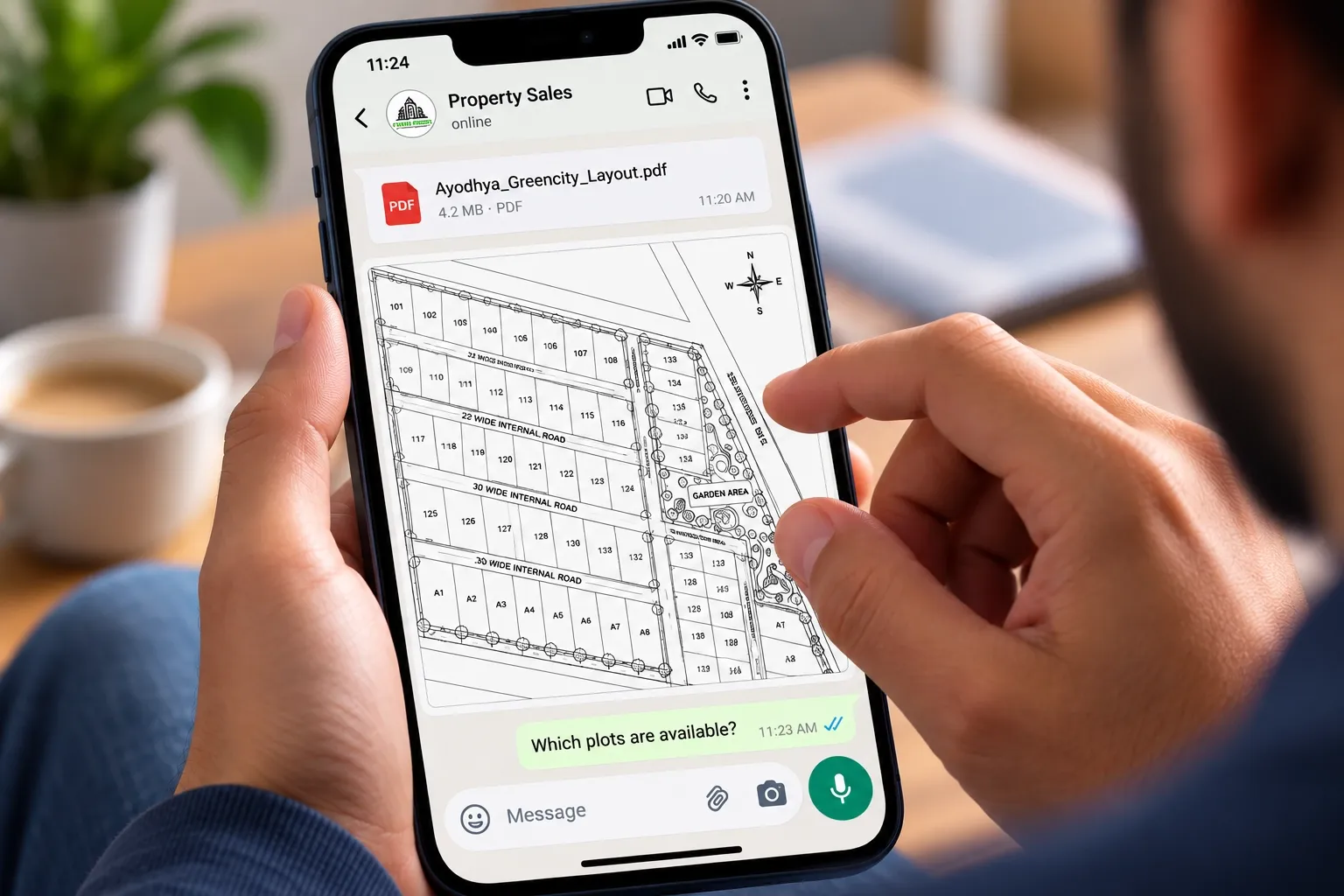
A buyer opens your layout PDF on WhatsApp, zooms in, and asks, "Which plots are still left?" Your sales executive checks the Excel sheet, calls the site office and replies two hours later. By then, the buyer has moved on to the next project.
Here is the short answer. Most plot sales don't stall because of the project. They stall because of how the site plan is presented. Outdated files, no location context, technical drawings and unclear next steps all make buyers wait, doubt or leave. Fix the presentation, and the same layout starts doing more of the selling for you.
This guide covers the seven most common site plan presentation mistakes, what each one costs you, and how to fix it.
Key takeaways
- An outdated layout PDF is the most expensive mistake. It leads to wrong quotes, lost trust and double bookings.
- Buyers judge location before they judge plot size. Show roads, landmarks and surroundings, not a layout floating on white space.
- Your approved layout is a legal record, not a sales tool. Give buyers a view built from it that they can actually read.
- Sales, channel partners and your website should all share one current view of the project.
- Every presentation needs a clear next step, and every enquiry should be tracked against a plot.
Mistake 1: Sharing a layout PDF that is already out of date
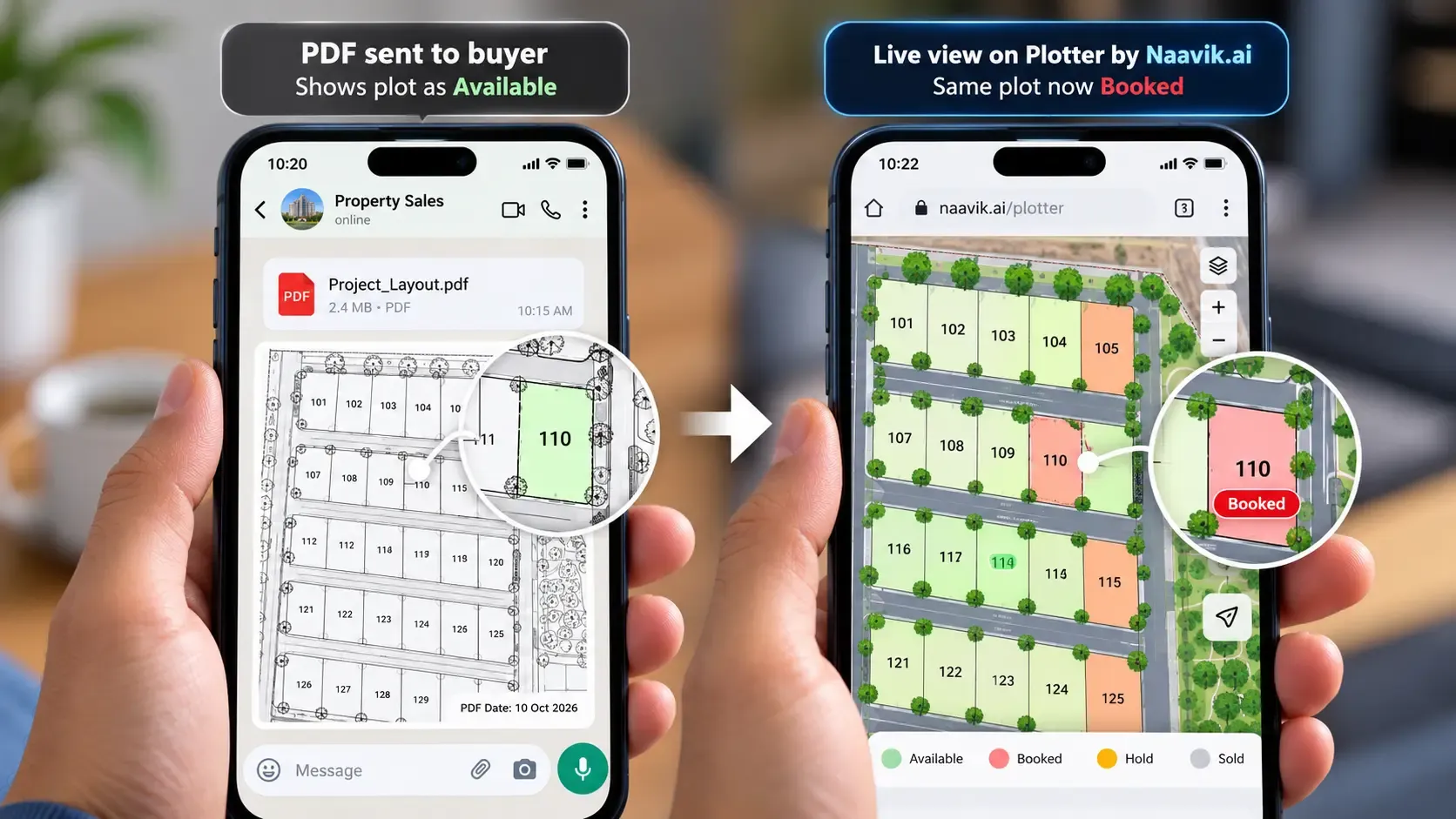
The day you export a layout PDF with plot status marked on it, it starts going out of date. Plots get booked, holds expire and cancellations come back. The PDF on the buyer's phone shows none of it.
What it costs you
- Buyers ask for plots that are already booked or sold, then lose confidence in the rest of your information.
- Sales executives quote different availability to different buyers.
- Two buyers can be promised the same plot. Our guide on how to prevent double booking of plots covers this risk in detail.
The fix
Stop sending availability as a file. Share a link to one live view where plot status updates as soon as a booking is made. If you must use PDFs for now, put the date on every version and re-share after each booking.
Mistake 2: Showing the layout with no real-world location
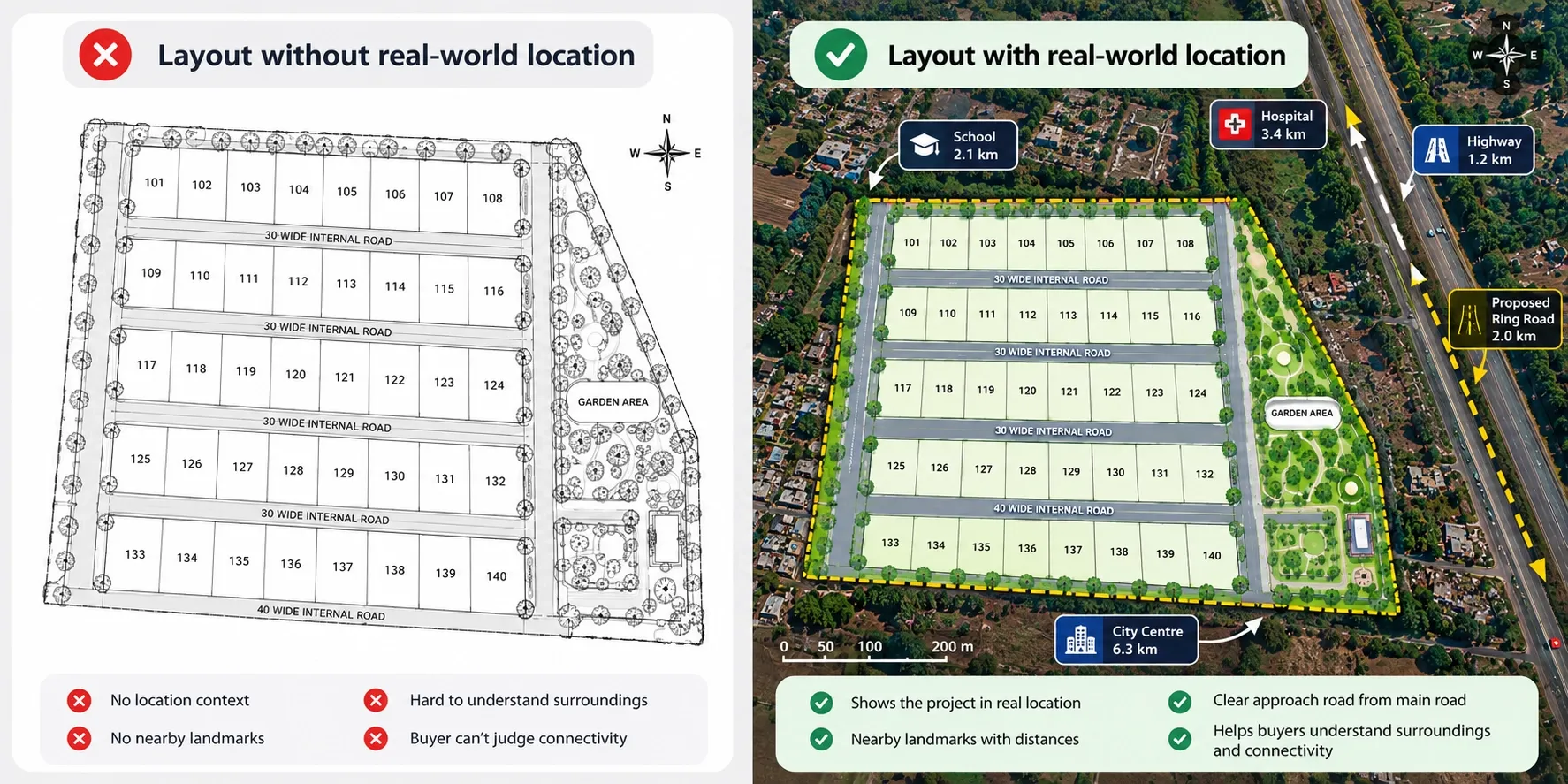
Many layouts show plots, roads and plot numbers on a blank background. The buyer can't tell where the project sits, how far it is from the highway, or what is next door.
For plotted projects, location is often the first buying factor. A buyer will ask about the nearest school, hospital, railway station or upcoming ring road before asking about plot dimensions.
The fix
- Place your layout on a real map, so buyers see the project in its actual surroundings.
- Mark nearby landmarks and travel distances, such as schools, hospitals, highways and stations.
- Show the approach road from the main road to the project gate.
- If a planned road or metro line comes from an official plan, mark it clearly as "proposed".
This matters even more for NRI and out-of-town buyers who can't visit easily. Our guide on how to sell plots online in India explains how to build that remote confidence.
Mistake 3: Handing buyers a technical drawing
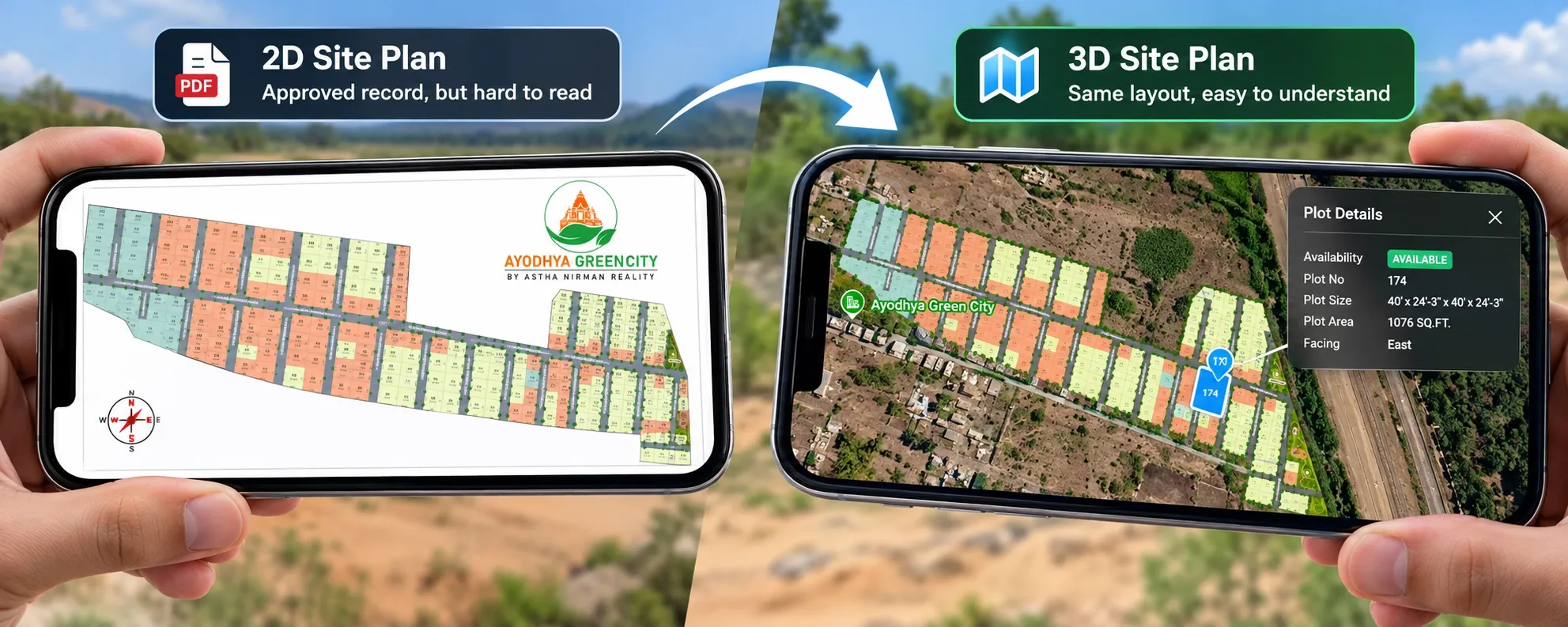
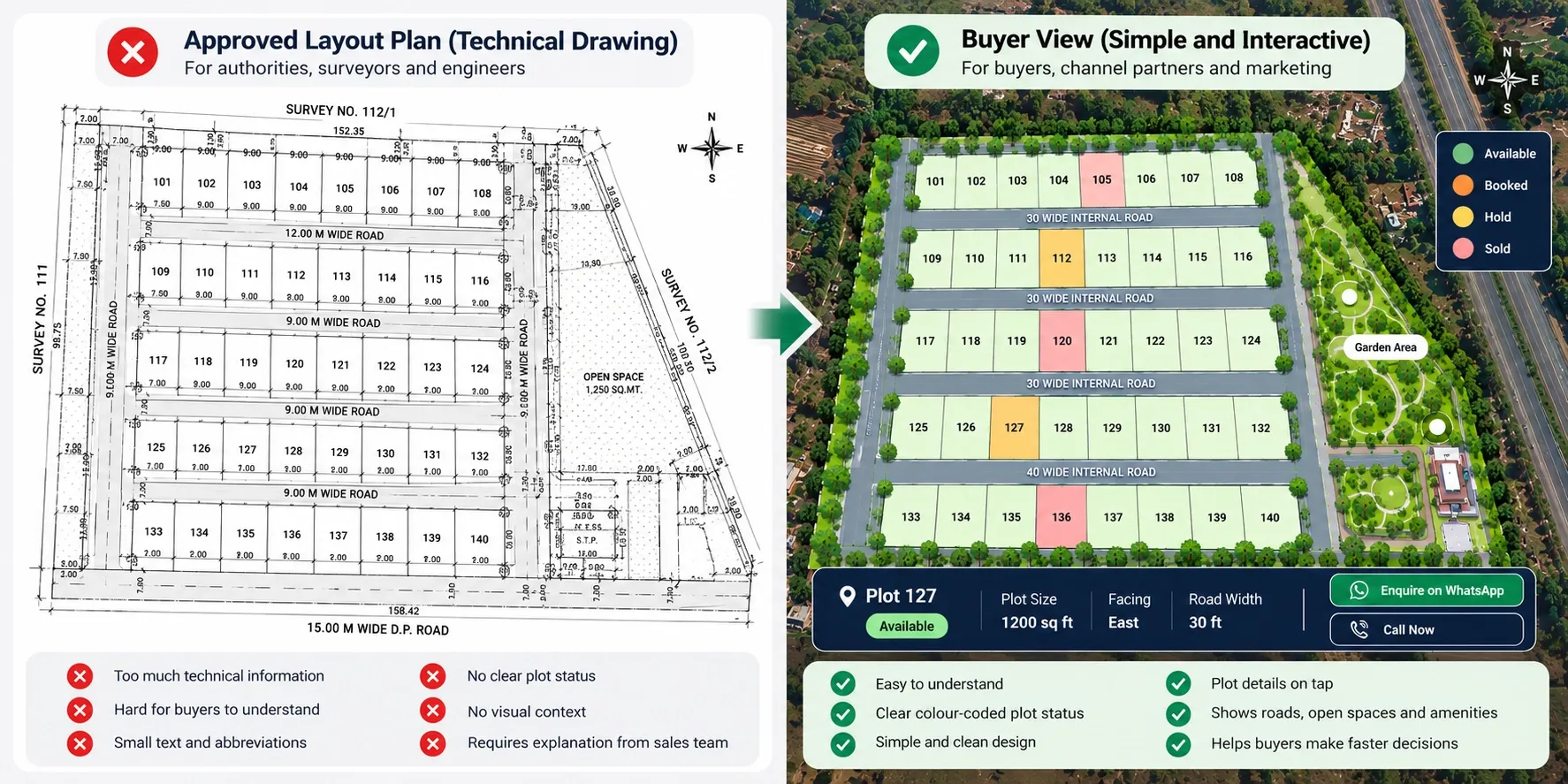
Your approved layout plan is drawn for authorities, surveyors and engineers. It is full of dimension lines, survey numbers, small text and abbreviations. Most buyers can't read it, and many won't admit it.
What it costs you
- Your sales team spends every call explaining the same drawing.
- Buyers misread plot facing, road widths or open space locations.
- Buyers delay decisions until they can "visit once", which adds weeks to the sale.
The fix
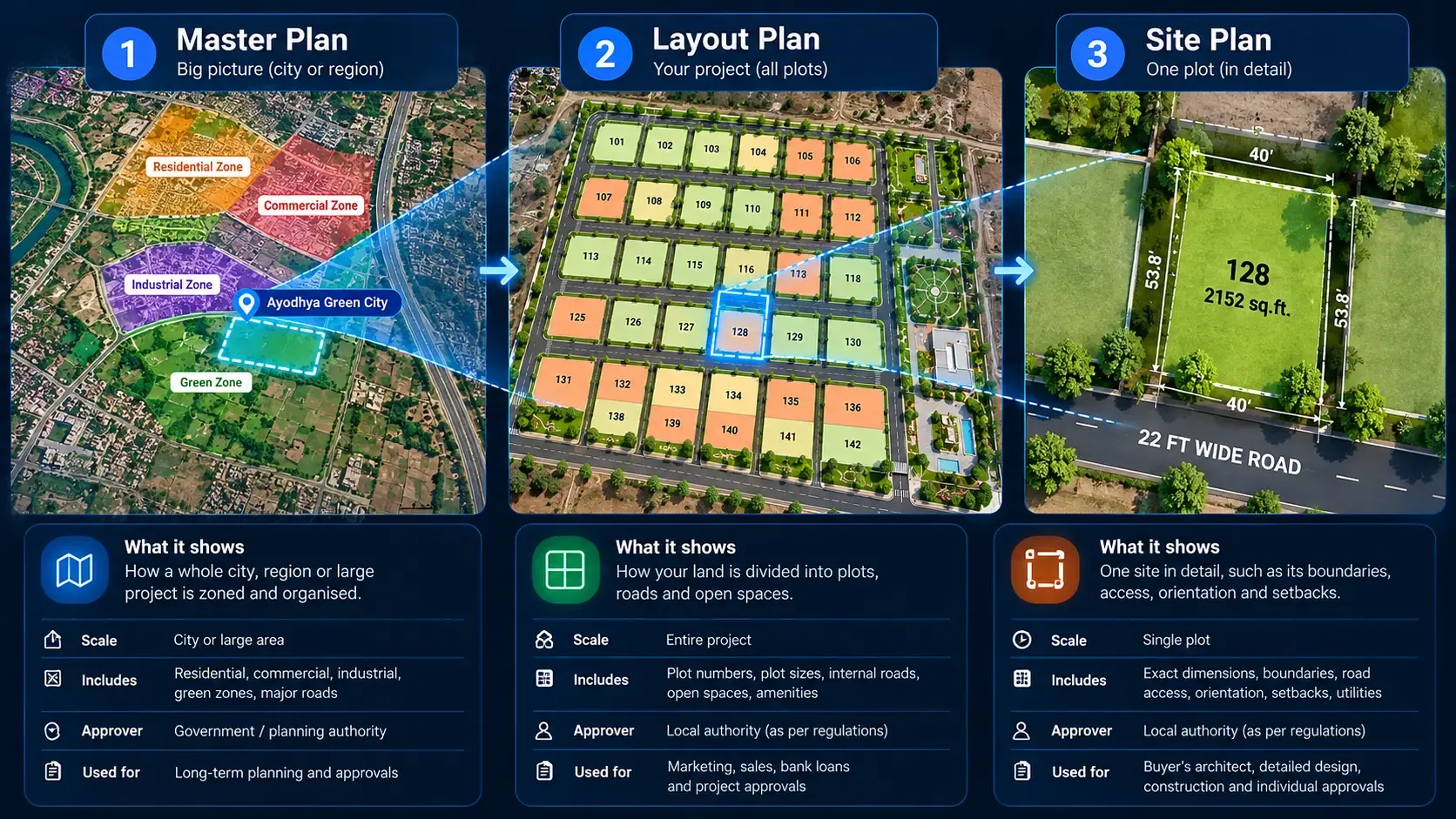
Keep the approved layout for documents, banks and RERA. For buyers, create a separate view built from it, with clear colours, a simple legend and plot details shown on tap. If you're unsure which plan is which, read our guide on site plan vs master plan vs layout plan.
A 3D view of the same layout also helps buyers picture roads, open spaces and plot positions. Our comparison of 2D vs 3D site plans explains when each one works better.
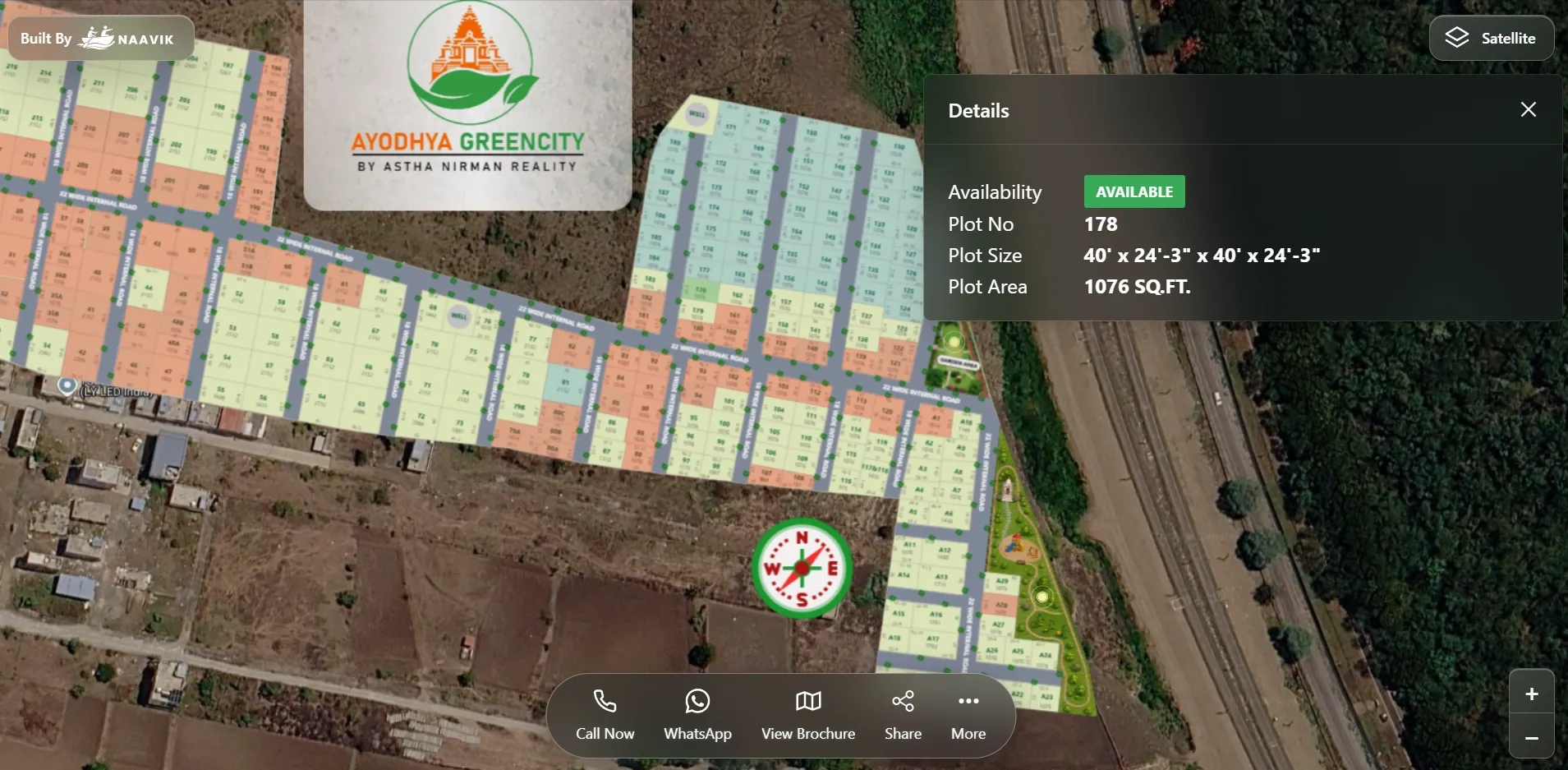
Mistake 4: Leaving out the plot details buyers ask about
A buyer shortlisting a plot almost always asks the same questions. When your presentation doesn't answer them, every answer has to come from a phone call.
Make sure each plot shows at least:
- Plot number: matching the approved layout exactly
- Size and dimensions: in the unit your buyers use, such as sq ft, sq yd or sq m
- Facing: east, west, north or south, with a north arrow on the layout
- Road width: the road or roads the plot touches
- Corner or park-facing: if it applies
- Status: available, booked, hold or sold
The fix
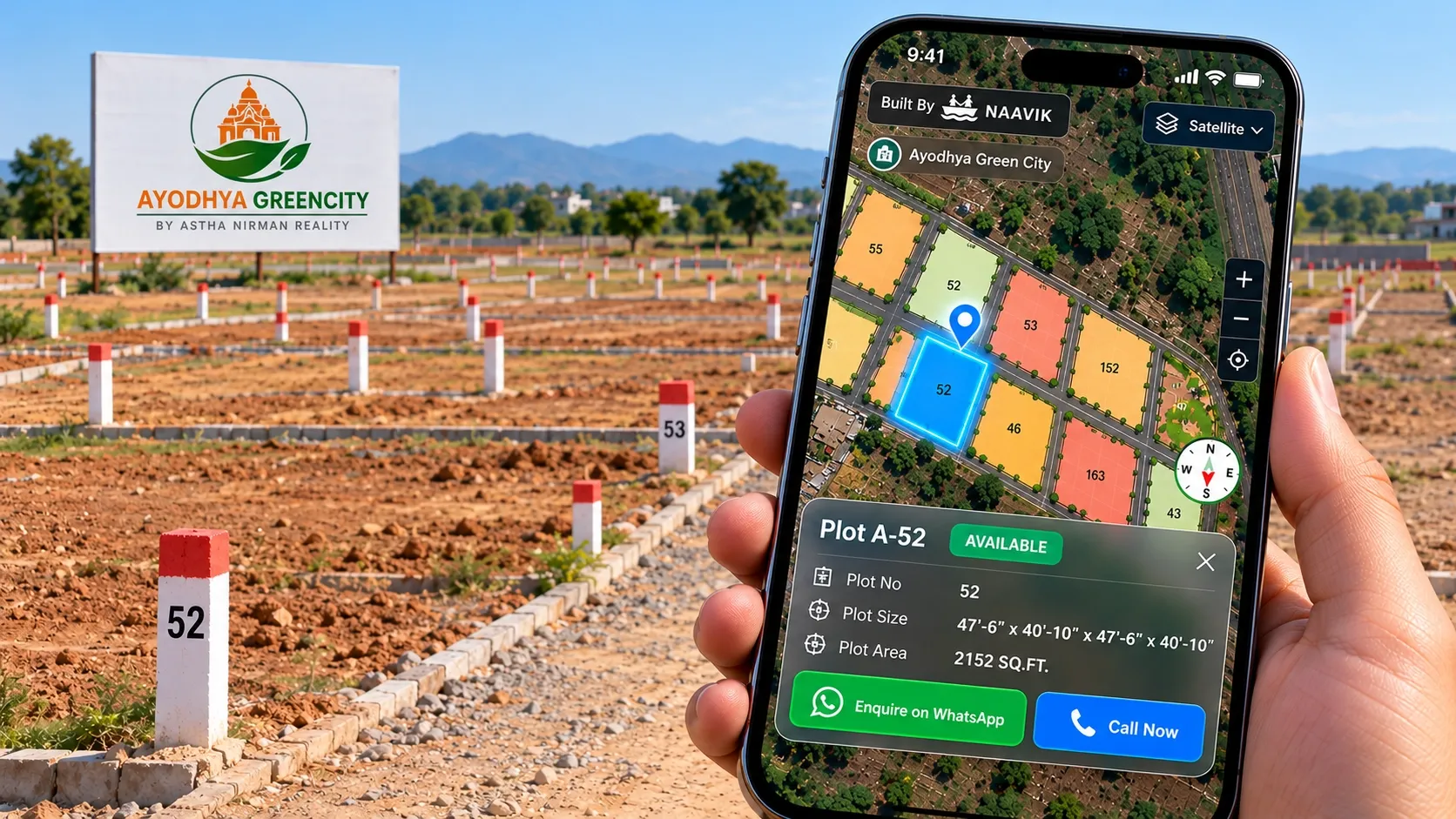
Put these details on the plot itself, so a buyer can tap or click a plot and see them instantly. Your sales team then spends calls on negotiation and closing, not on reading out dimensions.
Mistake 5: Mixing future phases with approved plots
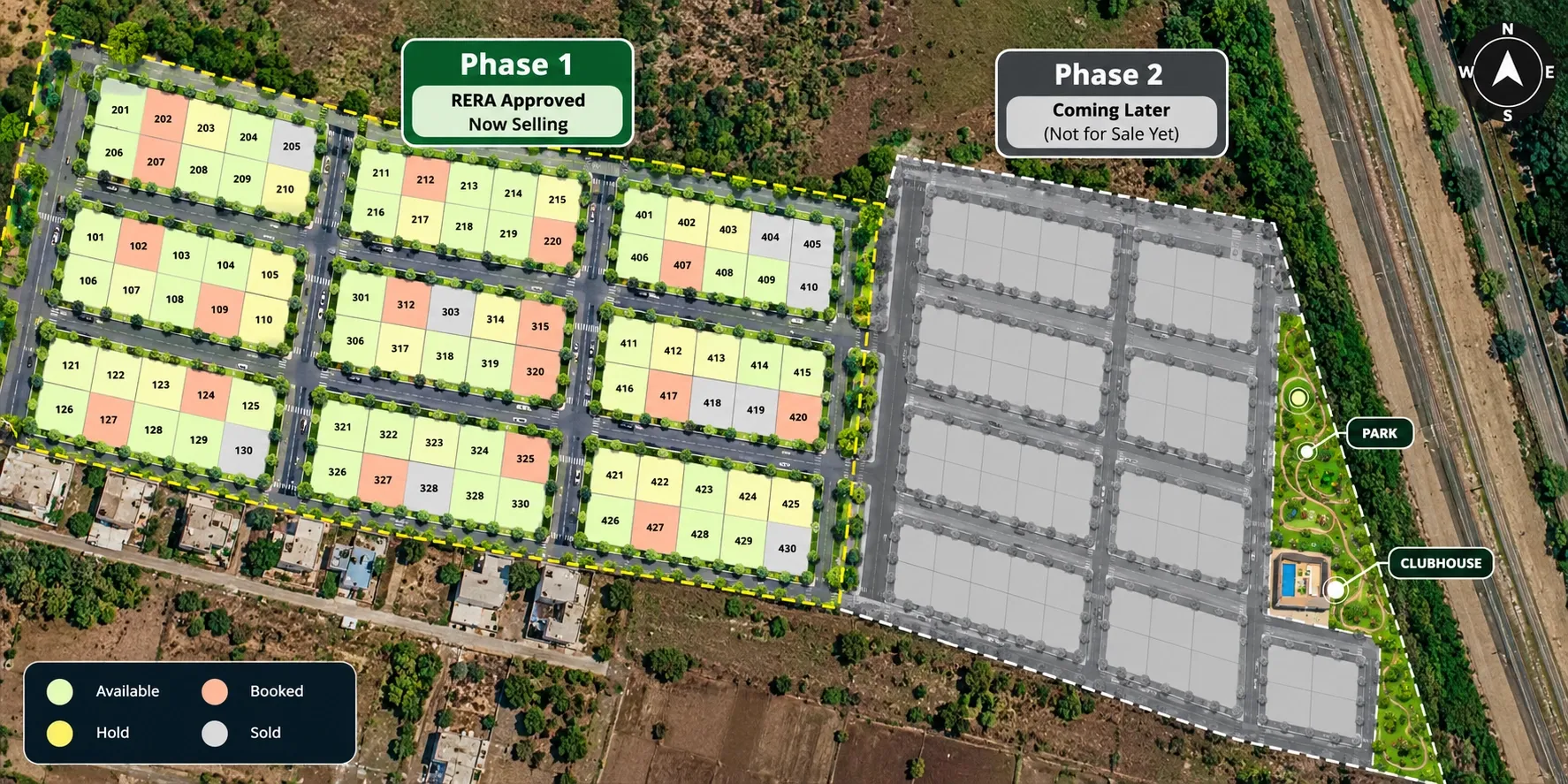
On large projects, developers often share the full project master plan to show the vision. Buyers then ask for plots in Phase 2 or Phase 3 that aren't approved or open for sale yet.
What it costs you
- Buyers wait for future plots instead of booking today.
- Future plot numbers or sizes may change after approval, which creates disputes.
- Channel partners promise plots you can't legally sell yet.
The fix
- Sell only from the approved layout of the open phase.
- Label future phases clearly as "coming later" and show them without plot-level details.
- Keep plot numbers and sizes in sales material identical to the approved, RERA-registered layout.
Mistake 6: Letting every team use a different version
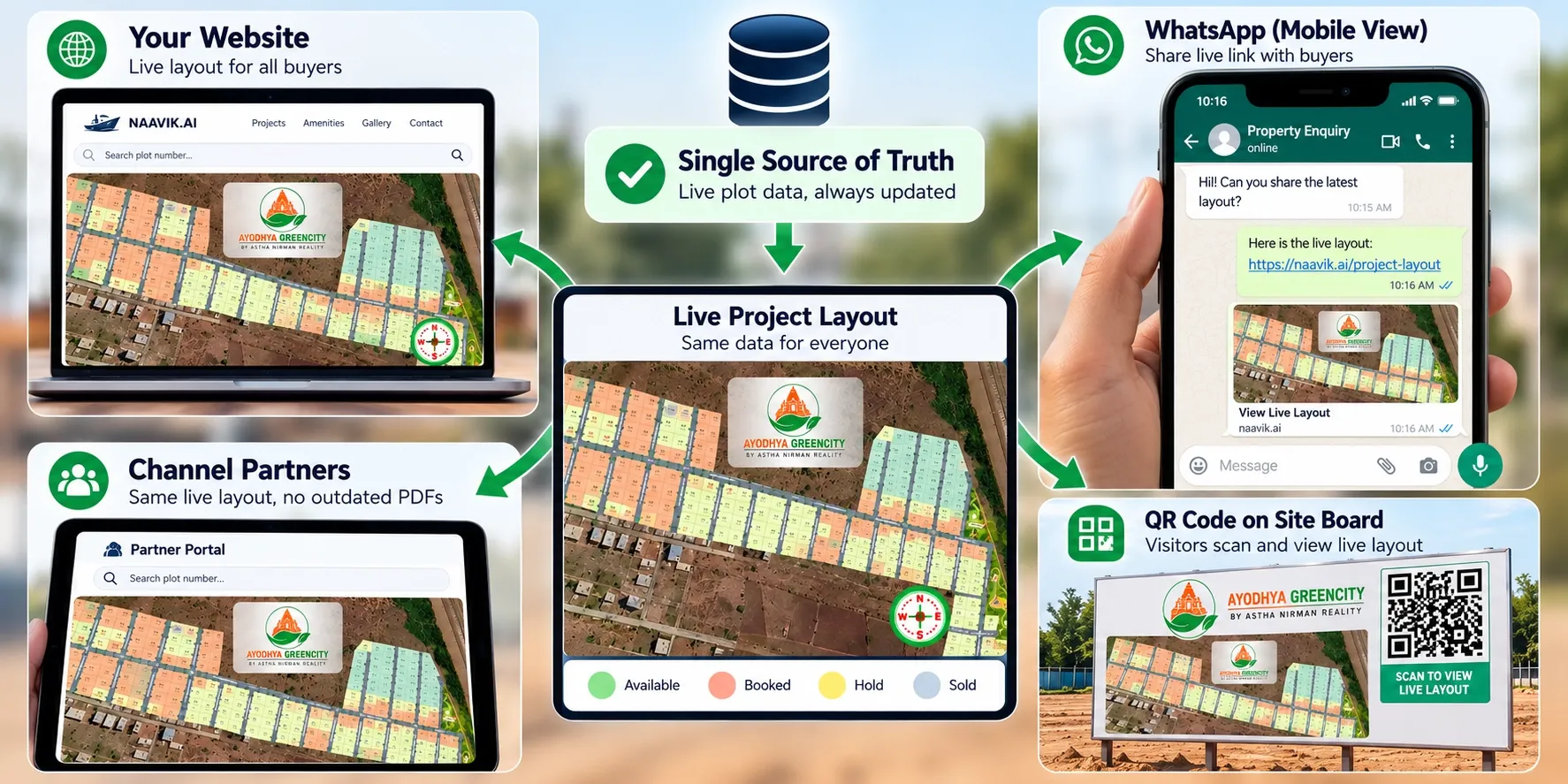
Your sales team has one PDF. Channel partners have a version from launch week. Your website shows a brochure image from last quarter. Each audience sees a different project.
What it costs you
- Channel partners quote plots that are already gone, which damages your reputation with their buyers.
- Your marketing team spends hours updating brochures, images and partner kits after every few bookings.
- Nobody is sure which version is correct when a dispute comes up.
The fix
Keep one source of truth and share it everywhere. The same live view can sit on your website, go out as a link on WhatsApp and appear as a QR code on hoardings and site boards. When a plot is booked, every audience sees the change at the same time.
Mistake 7: No clear next step for the buyer
A buyer likes a plot. Now what? Many presentations end there. There is no enquiry button, no way to hold interest in a specific plot, and no record of which plot the buyer looked at.
What it costs you
- Interested buyers drift away because acting takes effort.
- Enquiries arrive as "Is there any plot available?" with no plot context.
- Your team can't see which plots or areas get the most interest.
The fix
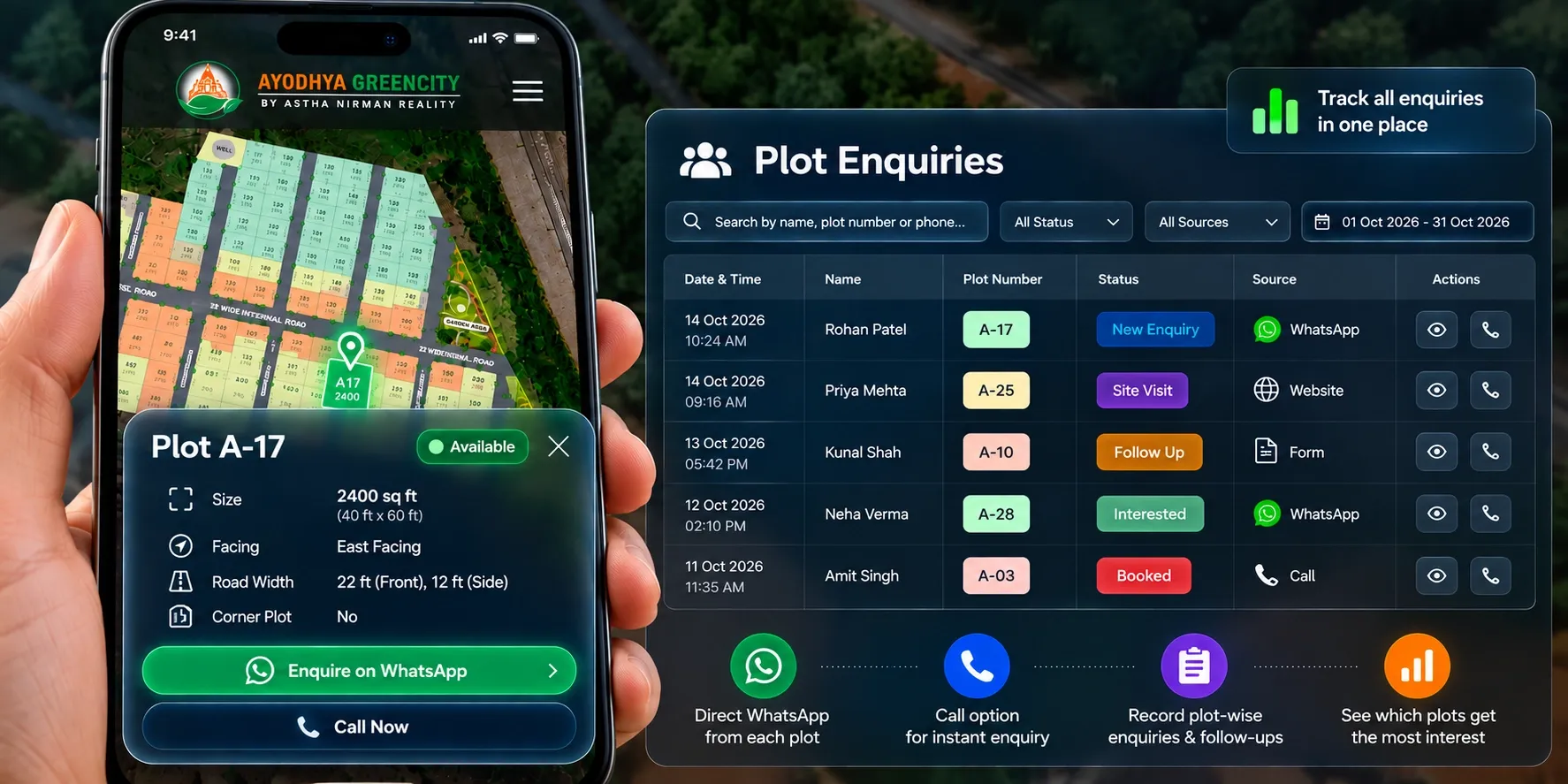
- Add a direct WhatsApp or call option next to every available plot.
- Make sure each enquiry reaches your team with the plot number attached.
- Track enquiries, site visits and bookings in one place, so follow-ups don't depend on someone's memory.
- Review which plots get the most views and enquiries, and use that to guide pricing and promotion.
A quick checklist before you share your site plan
Before your next launch, campaign or channel partner meet, run through these checks:
- Is plot status current as of today, not as of the last export?
- Can a buyer see where the project is on a real map?
- Are nearby landmarks and the approach road marked?
- Can a buyer understand the view without a call from your team?
- Does each plot show number, size, facing, road width and status?
- Are future phases clearly separated from plots that are on sale?
- Are sales, channel partners and your website all using the same view?
- Does every available plot have a clear way to enquire?
If you answered "no" to three or more, your site plan presentation is probably costing you enquiries.
Example: a 120-plot project near Ahmedabad
This is an illustrative scenario, not a client case study.
A developer launches a 120-plot residential project on the outskirts of Ahmedabad. The approved layout is ready, and the sales team starts sharing a PDF with available plots shaded in green.
Within three weeks, around 40 plots are booked. The PDF has been forwarded through dozens of WhatsApp groups and channel partners. Buyers keep asking for plots that were booked days ago. Two partners promise the same corner plot to different families. Buyers from Mumbai and abroad ask, "How far is it from the highway?", and the team answers each one by phone.
The developer changes three things:
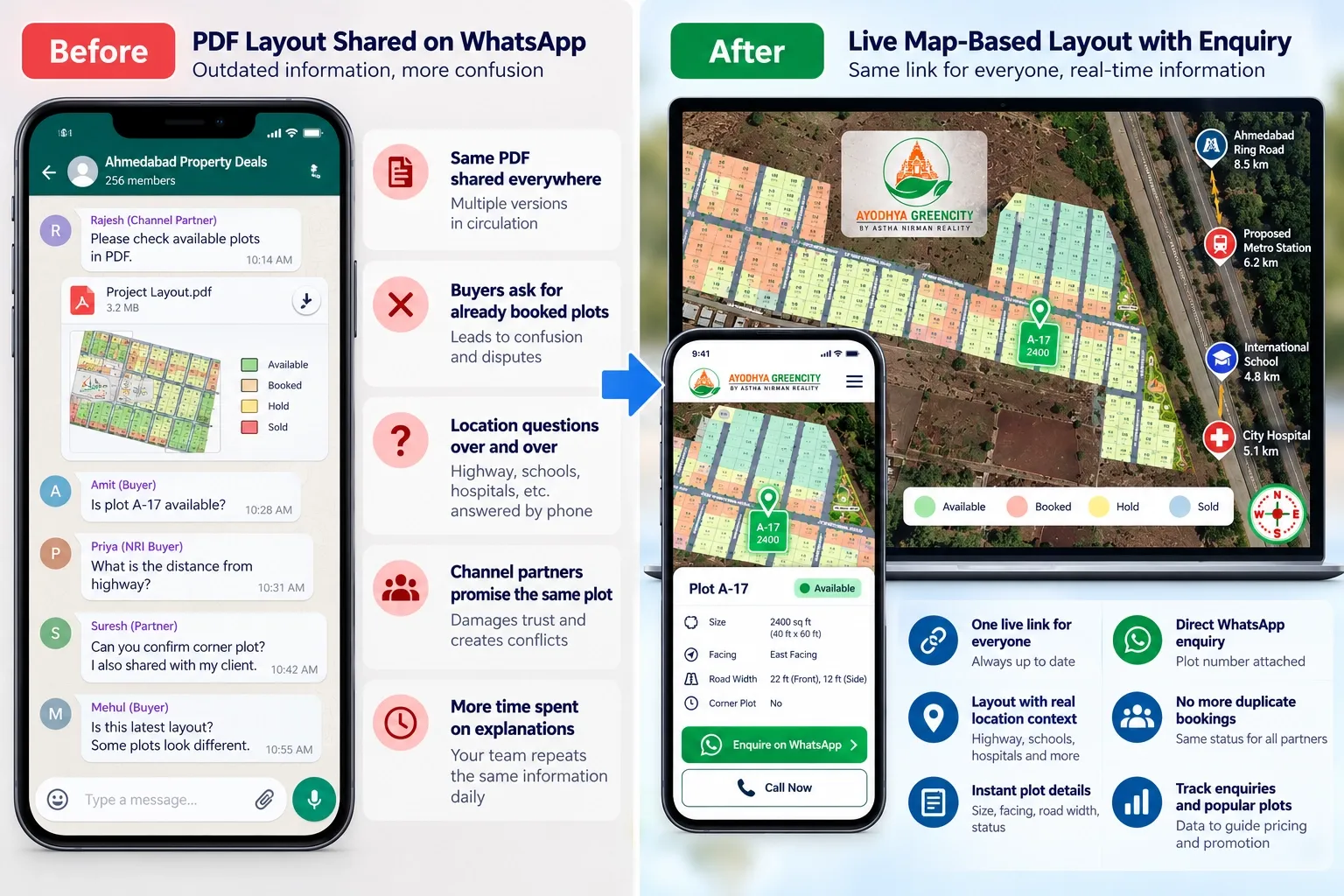
- One live link replaces the PDF. Plot status updates as soon as a booking is made, and every partner gets the same link.
- The layout moves onto a map. The approach road, the highway, a nearby school and a hospital are marked, with distances.
- Each plot gets a details card and an enquiry button. Buyers see size, facing, road width and status, and can enquire on WhatsApp with the plot number attached.
The sales team now spends less time on repeat explanations. Disputes over the same plot stop, because everyone sees one status. Out-of-town buyers shortlist plots before they visit, so the site visits they do make are more focused.
Where Plotter by Naavik.ai fits
Plotter by Naavik.ai is plot management software that turns static layouts into interactive 3D site plans with real-time plot availability.
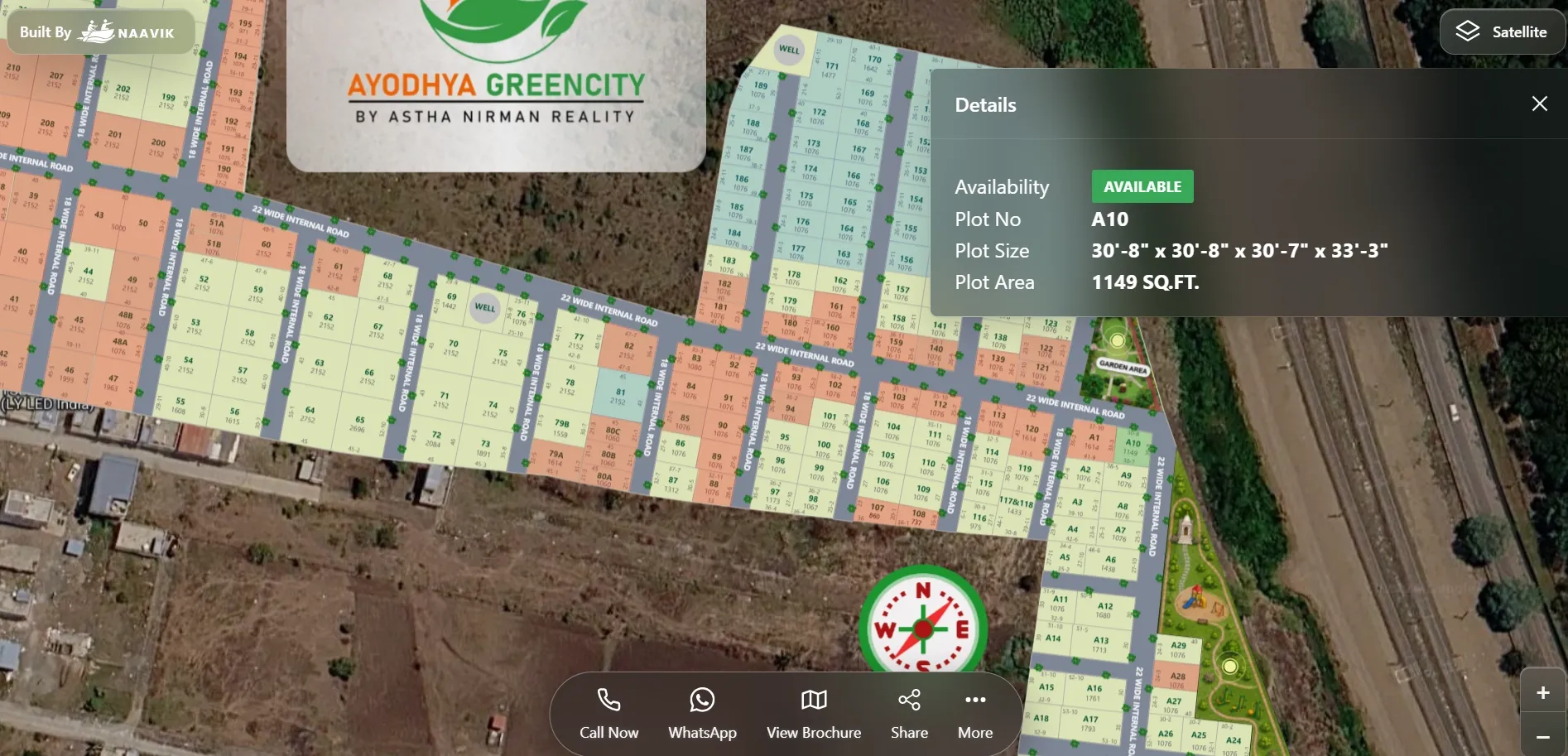
It addresses each of the seven mistakes in one place. Your approved layout sits over Google Maps or OpenStreetMap, with nearby landmarks and connectivity marked. Every plot is clickable and colour-coded as available, booked, hold or sold, and the status updates in real time as your team books plots.
Buyers can enquire through WhatsApp or call buttons, and each lead goes into the built-in CRM. The analytics dashboard shows visitors, leads and bookings, so you can see which plots draw the most interest. You can embed the layout on your website, share it as a link or a QR code, and add a virtual site tour, 360° media and digital brochures.
This is what an interactive site plan for real estate looks like in practice: one current view for buyers, sales teams and channel partners.
Our case study shows how one developer "Replaced Static PDFs With a Live Interactive Site Layout", and Shyam Infrastructure uses Plotter to manage 1,200+ units in real time. You can also explore a live project at Ayodhya Green City in Pune. For more on moving away from static files, read interactive property maps vs traditional brochures.