Your layout is approved, but the land is still red soil, marker pegs and a temporary signboard. A buyer stands at the gate and asks, "Where exactly is Plot 47?" Your sales executive points at a field and hopes the buyer can picture it.
Marketing plots before development starts comes down to one job: helping buyers see a finished project on land that looks empty. To do that, you need a layout buyers can explore, clear proof of location and a launch plan that works from the day your RERA registration comes through. Prepare everything before registration, then go to market on day one.
This playbook covers seven practical steps, a worked example and the pre-launch mistakes that cost land developers their early momentum.
Key takeaways
- Pre-launch plot marketing means getting your assets ready before RERA registration and launching the day it comes through.
- On bare land, buyers can't picture roads, plot sizes or corner plots. A 3D plot layout on the map shows them.
- Location proof matters more than usual at this stage, because there's nothing built on site to show yet.
- Set up live plot status before launch. Early demand is when double booking is most likely.
- Keep updating the listing as roads, gates and amenities come up. Each update is a reason to contact your leads again.
What "pre-launch" really means for a plotted project
In Indian real estate, "pre-launch" usually means selling early, at a lower price, before the project is officially launched. For plotted projects, that timing has a legal limit.
Under the Real Estate (Regulation and Development) Act, 2016, a project that needs RERA registration can't be advertised, marketed, booked or sold before it is registered. State RERA authorities regularly penalise promoters who run ads or take bookings early. Once you are registered, every advertisement must show the RERA registration number and the state RERA website.
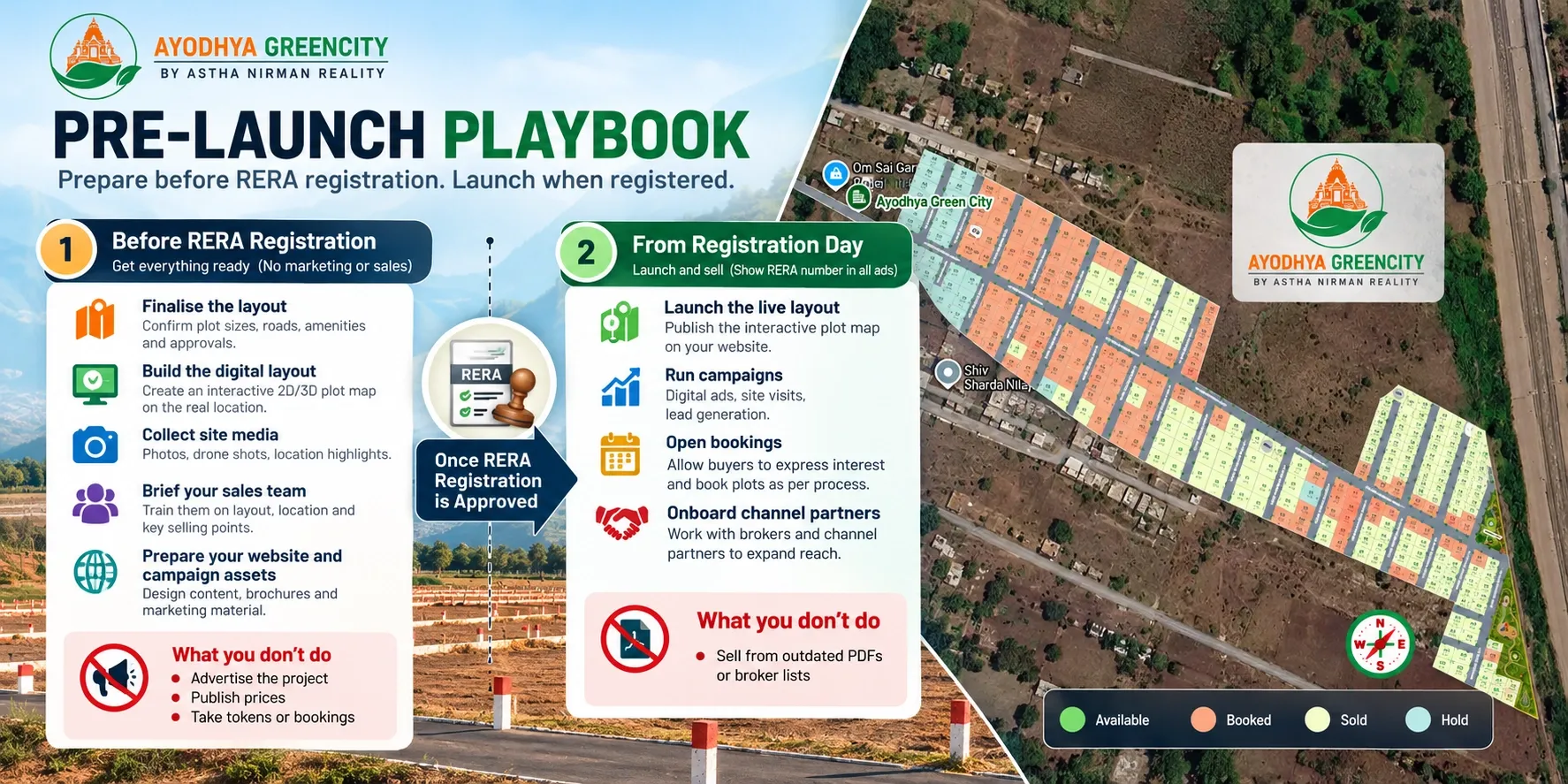
So a sensible pre-launch plan for a plotted project has two phases:
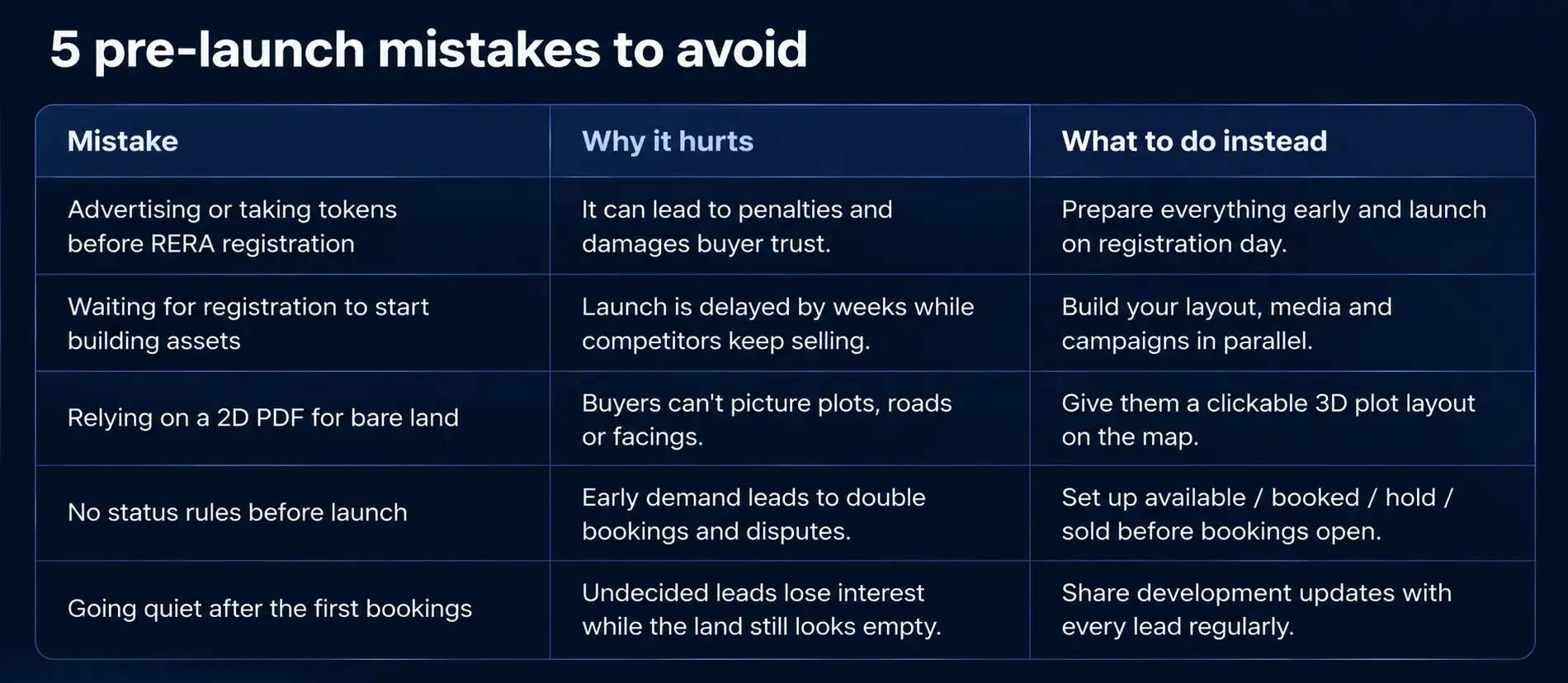
Phase 1: Before RERA registration
What you do
- Finalise the layout and build the digital layout.
- Collect site photos, drone images, and other project media.
- Brief your sales team.
- Prepare your website and campaign assets.
What you don't do
- Advertise the project or publish prices before registration where registration is required.
- Accept tokens or bookings before the project is legally permitted to be marketed or sold.
Phase 2: From registration day
What you do
- Launch the live layout.
- Run campaigns in accordance with applicable rules.
- Open bookings when legally permitted.
- Onboard channel partners.
What you don't do
- Rely on outdated PDF brochures or inconsistent broker lists.
- Share plot availability that is not up to date.
The rules differ slightly from state to state, so confirm the details with your legal advisor. The marketing lesson stays the same: do the slow work early, so launch day is about selling rather than catching up.
Why bare land is hard to sell
A finished villa project sells itself on a site visit. A plotted project before development doesn't. The buyer sees open land and has to trust your brochure for everything else.
Open land and a few marker pegs - Exactly where their plot sits in the layout
No internal roads - Road widths and which road their plot faces
No visible plot boundaries - Plot size, shape and whether it's a corner plot
No gate, garden or clubhouse - Where the amenities will be and how far they are from the plot
A highway somewhere in the distance - Real distances to schools, hospitals, stations and the city
A sales executive with a printed list - Which plots are still available right now
A PDF layout answers some of these questions, but buyers struggle to read it. It gets passed around WhatsApp in low resolution and goes out of date as soon as the first plots sell. We compared both formats in interactive property maps vs traditional brochures.
7 steps to market plots before development starts
1. Finalise the layout and get registered, with assets ready in parallel
Don't wait for registration to start your marketing work. While the approvals and RERA paperwork move forward, prepare everything that doesn't need to go public yet.
- Lock the plot numbering, sizes, facings and road widths, and make sure they match the approved layout.
- Shortlist your launch plot mix: which plots open first and which are held back for later phases.
- Draft your website page, ad creatives and channel-partner kit, and keep a blank space for the RERA number.
Once your RERA number arrives, you can add it to every asset and go live the same day.
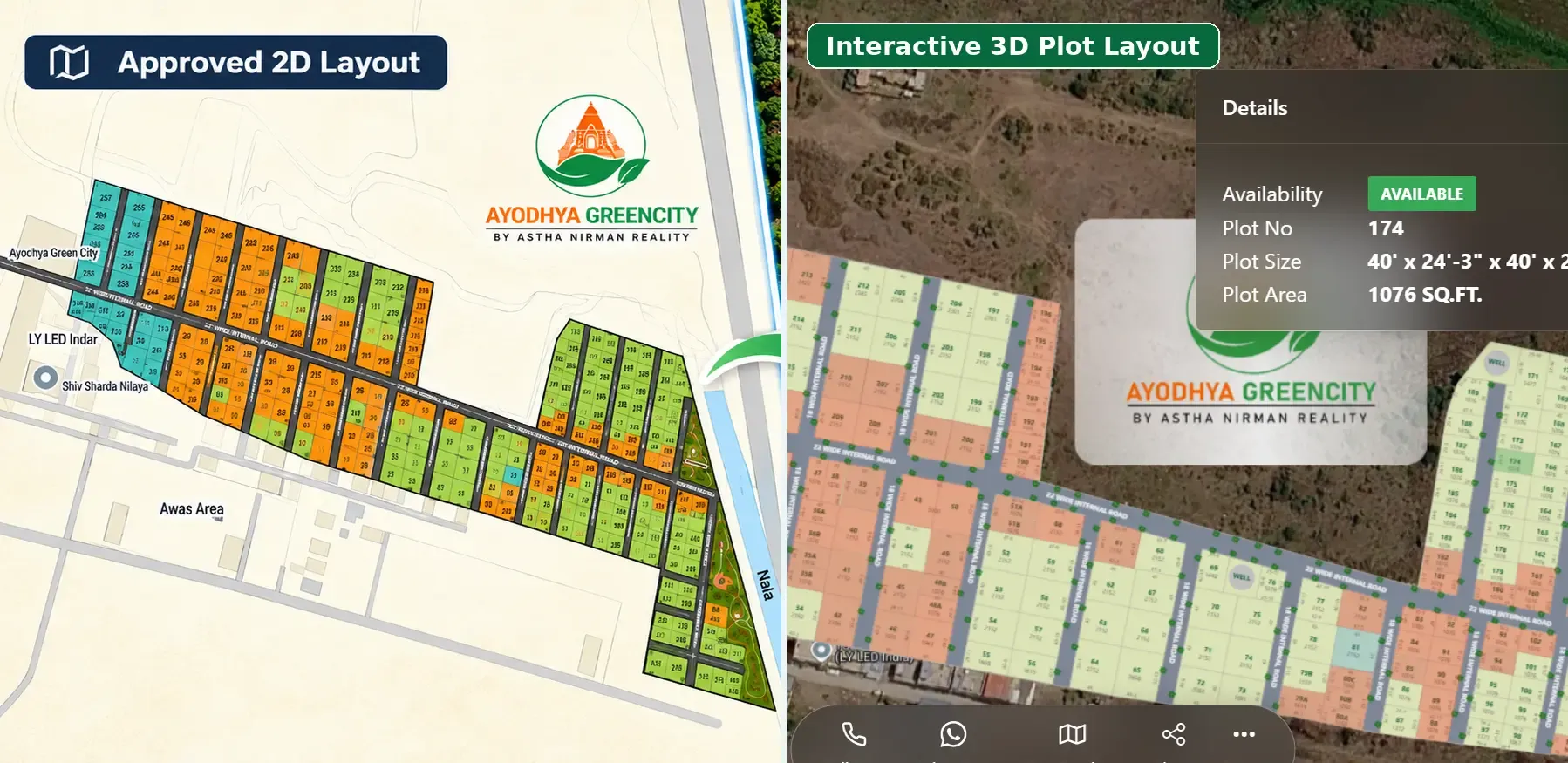
2. Turn the approved layout into a clickable 3D plot layout on the map
This is where pre-launch marketing succeeds or struggles. Buyers can't walk the roads yet, so give them a digital version they can explore from their phone.
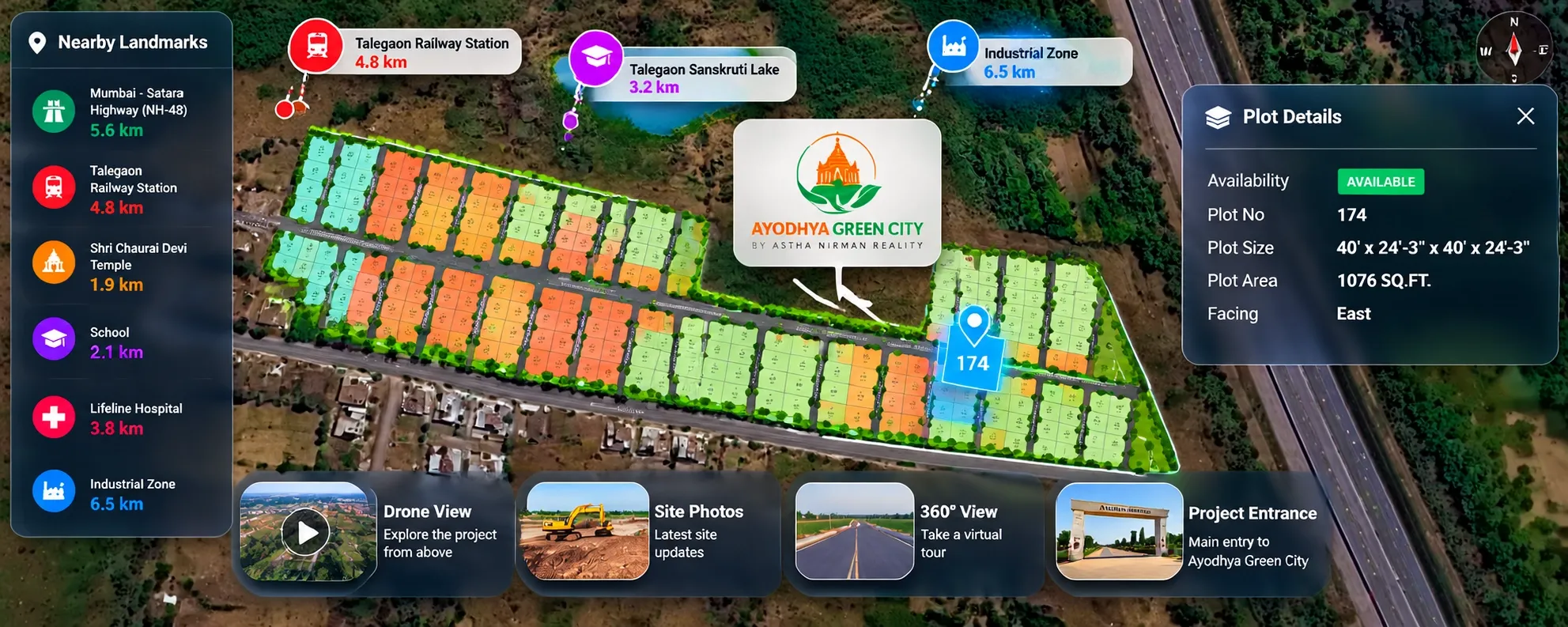
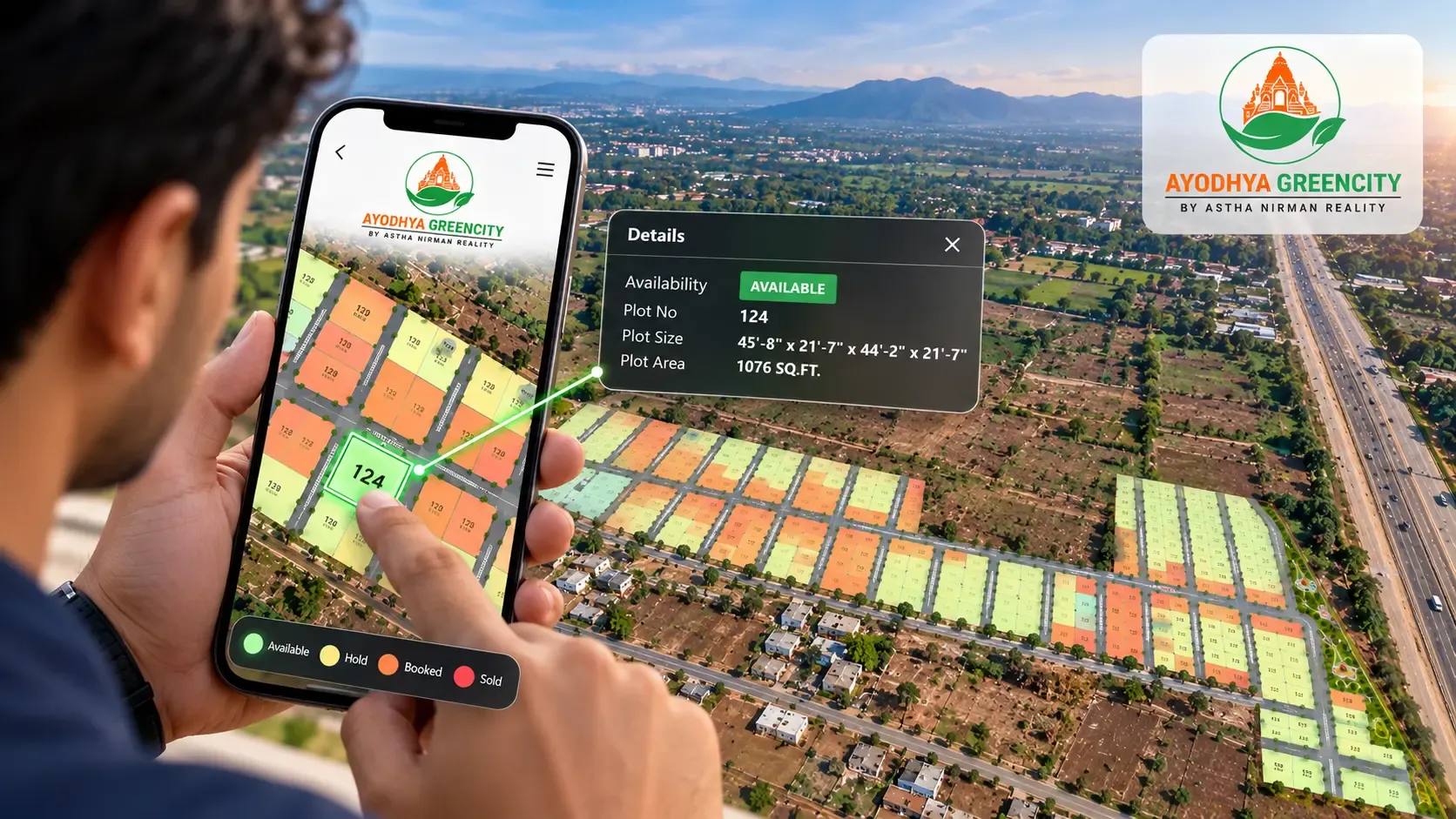
A clickable 3D plot layout placed over the real map shows each plot in its true location. Buyers can tap a plot to see its size, facing and status, and see how the layout connects to the main road. With 3D plot visualisation, Plotter by Naavik.ai turns your approved layout into this kind of view, so buyers can understand bare land before a single road is laid.
3. Show what's around the land
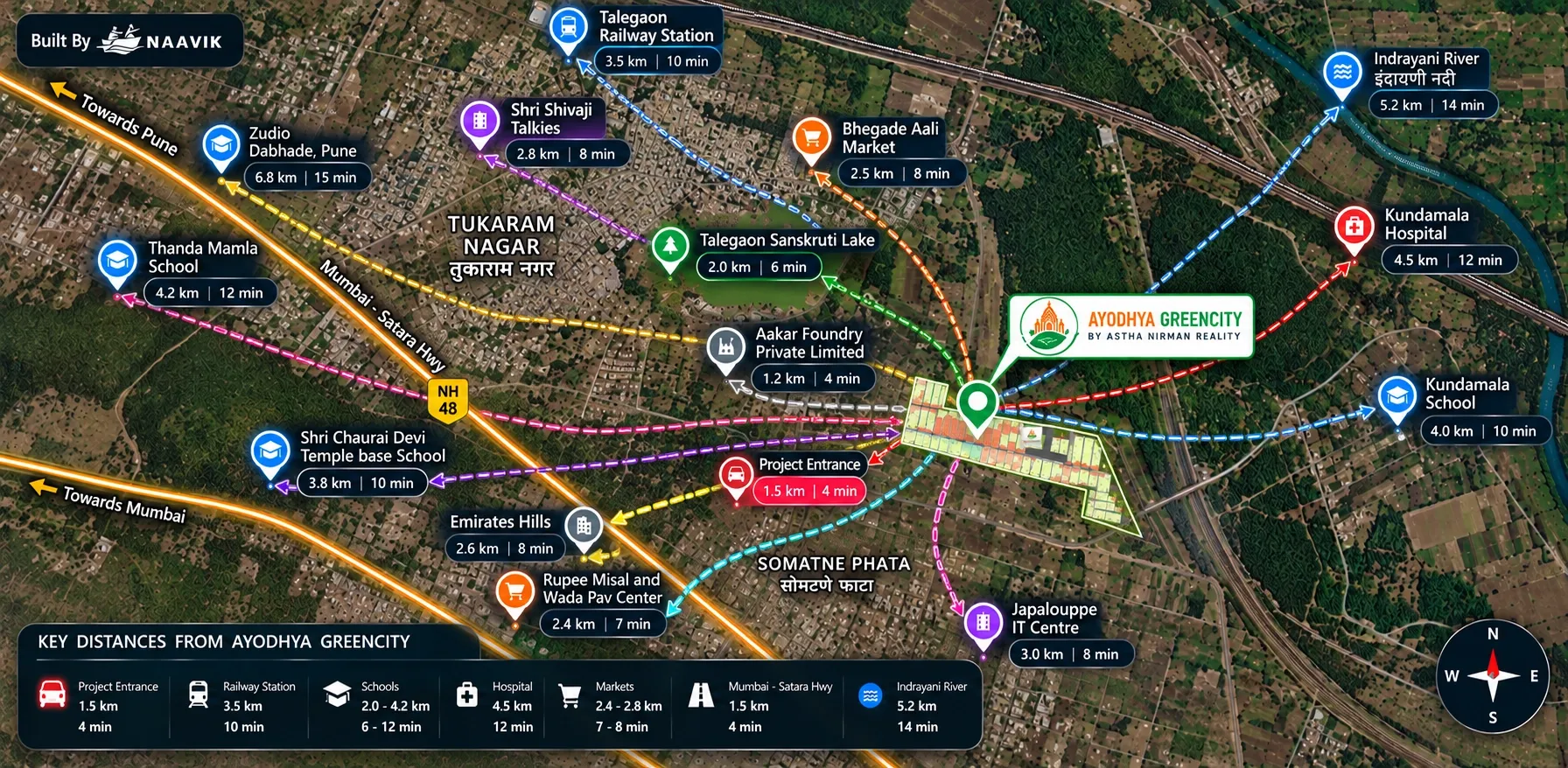
On an undeveloped site, location sells the project. Buyers are judging what's nearby as much as the plot itself.
Mark nearby schools, hospitals, highways, railway stations, industrial zones and upcoming infrastructure, with real distances. Add drone shots and dated site photos so buyers know the media is current. For buyers who can't visit, a virtual site tour or 360° view of the land and approach road builds early trust.
4. Set up plot status before launch day
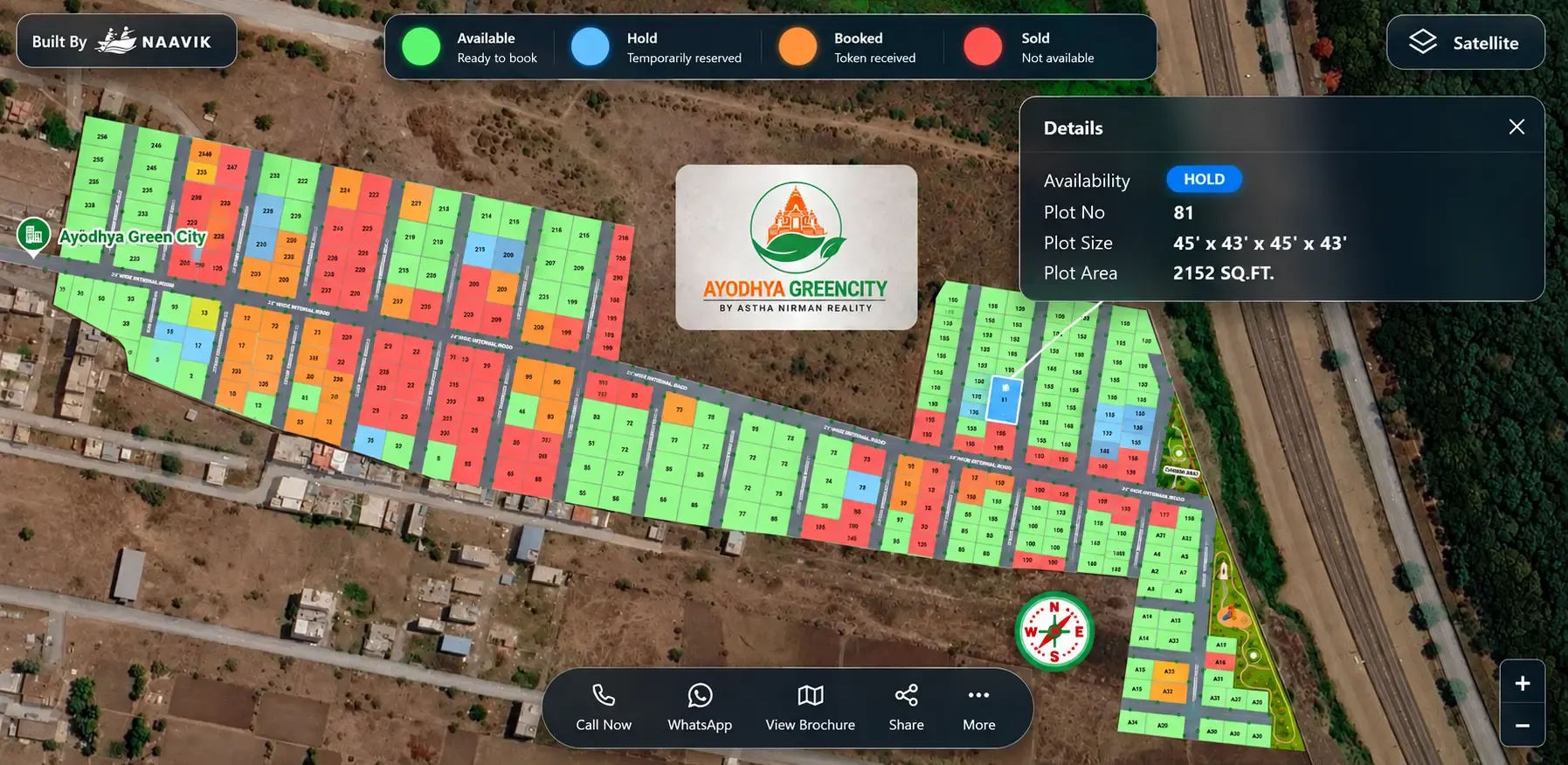
The first days after launch are the busiest. Several brokers may pitch the same corner plot to different buyers within hours.
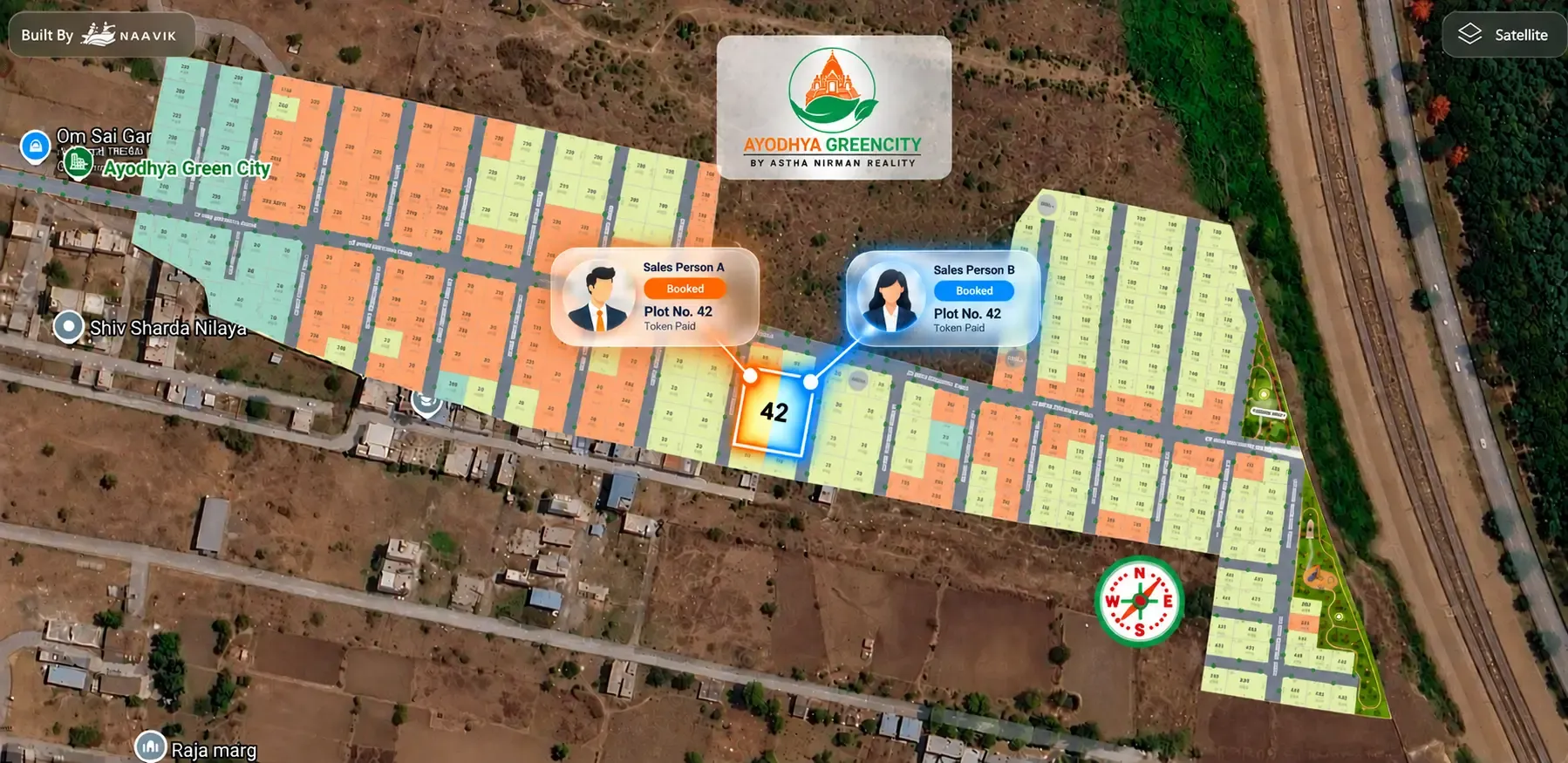
Set up live plot status before you open bookings, using four clear states: available, booked, hold and sold. Decide who can change a status, how long a hold lasts and what happens when it expires. Our guide on how to prevent double booking of plots covers this setup step by step.
5. Give channel partners one shared link
Channel partners often bring a large share of early buyers. If each partner works from their own PDF and availability list, mistakes follow quickly.
Give every partner the same live layout link, and record which partner each enquiry came from. Partners can present the project confidently, even though they didn't build it, and your team always knows which plots have been offered to whom.
6. Launch everywhere at once
On registration day, put the same live layout everywhere buyers look:
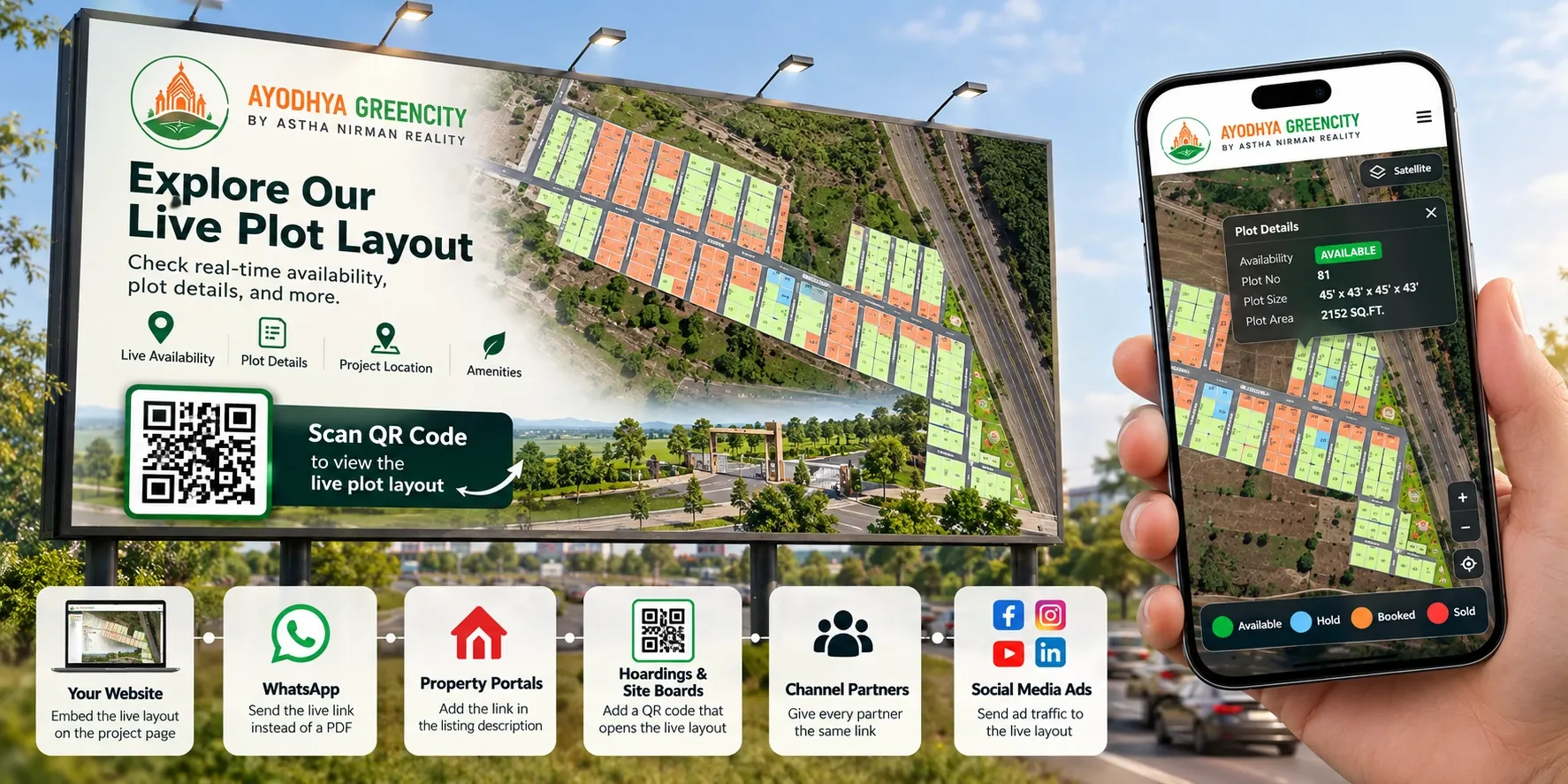
- Your website: embed the interactive layout on the project page.
- WhatsApp: share the link with your enquiry list and partner groups.
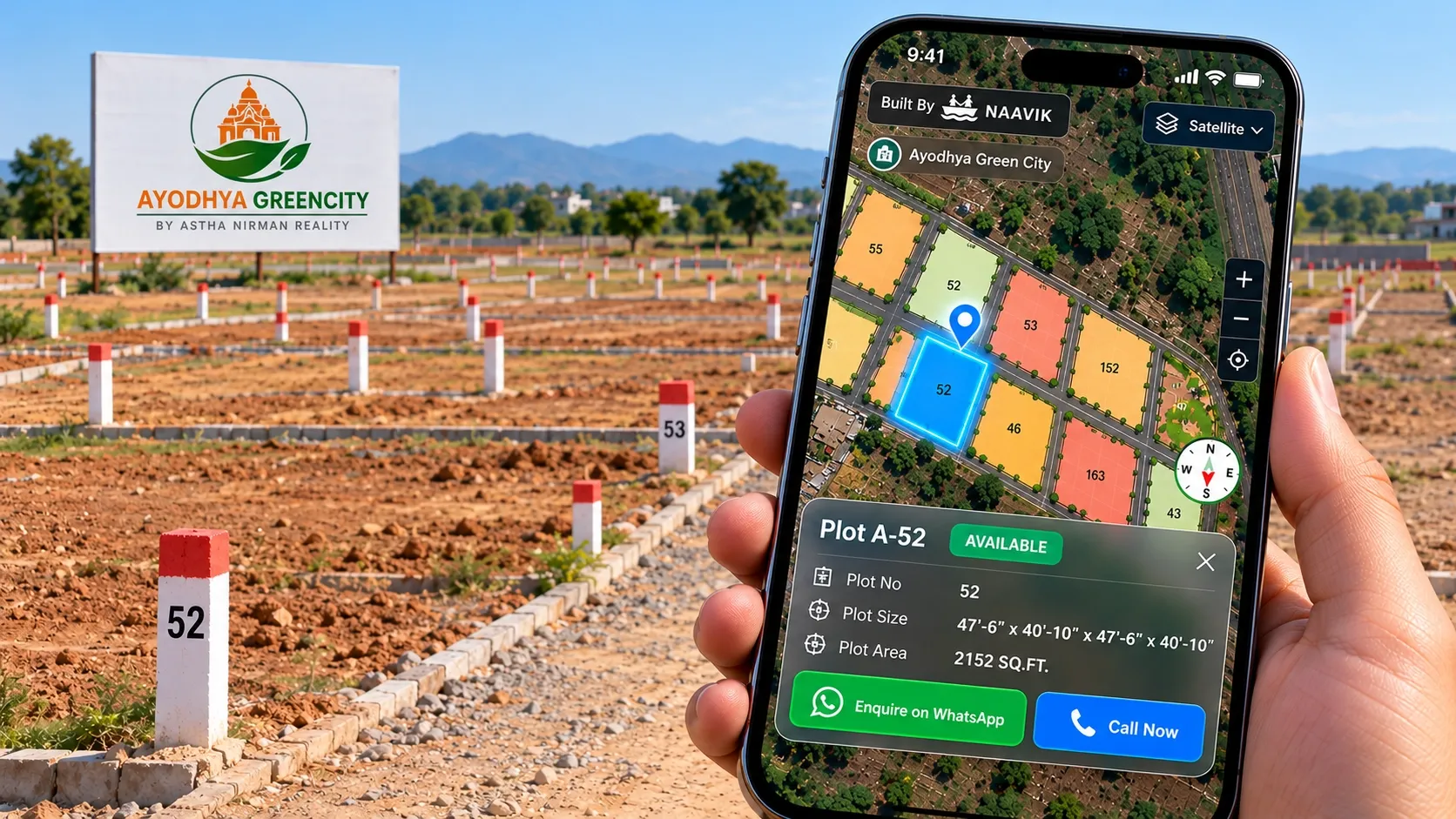
- On-site hoardings: add a QR code that opens the live layout on a phone.
- Social media and portals: link to the layout, not a downloadable PDF.
- Digital brochure: keep one current version that everyone shares.
When every channel points to one source, every buyer sees the same availability.
7. Keep updating as development progresses
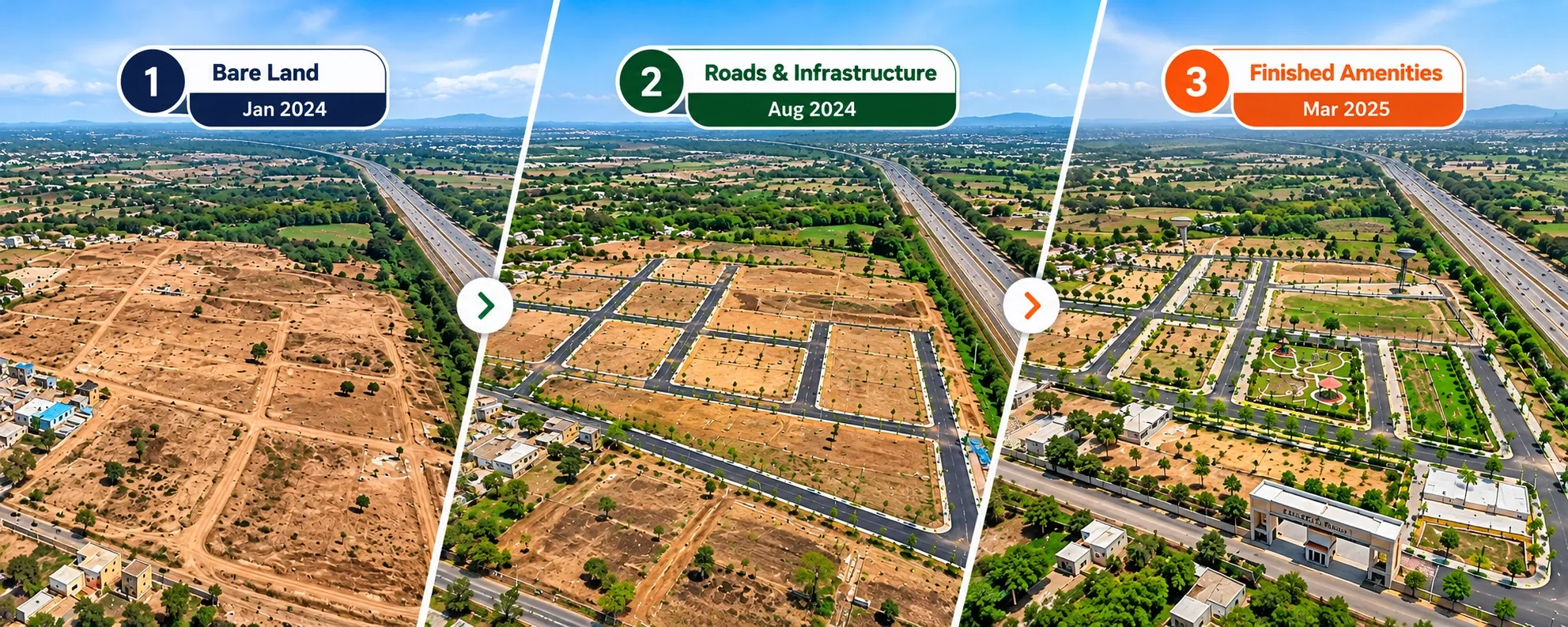
Pre-launch marketing doesn't end once the first bookings come in. Bare land is hardest to sell in the early months, and every visible change makes the project easier to trust.
Add new site photos, drone footage and 360° media as roads, the entrance gate, drainage and amenities come up. Share each update with leads who haven't booked yet. A buyer who hesitated over bare land will often decide once the roads are paved. For the full online sales process after launch, see how to sell plots online in India.
Example: launching a 120-plot project near Vadodara
This is an illustrative scenario, not a client case study.
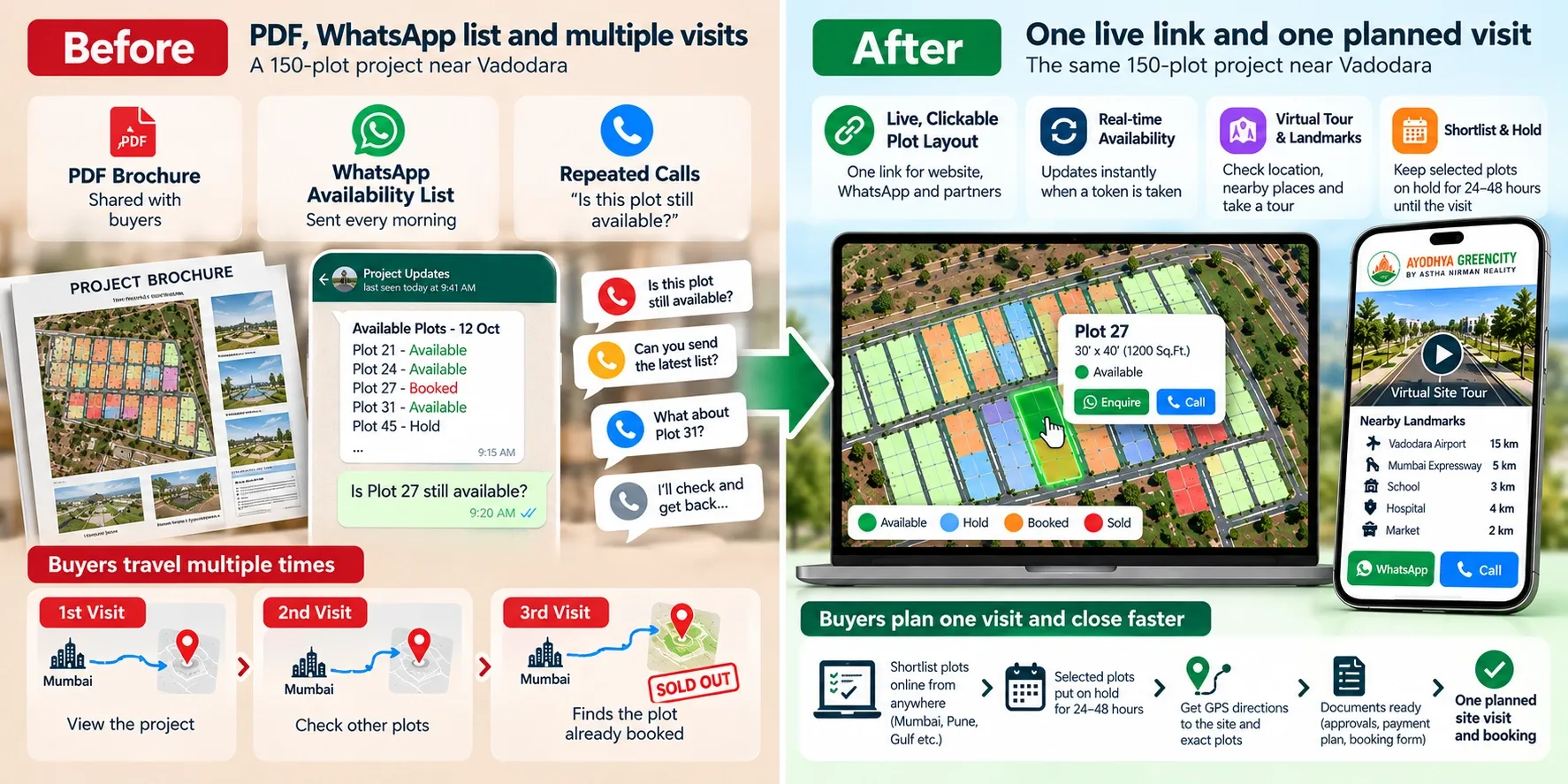
Before. A developer has a 120-plot layout on the outskirts of Vadodara. RERA registration is expected in six weeks. The plan is to print brochures after registration, share the PDF with 15 channel partners and run site visits every weekend. Buyers visiting the bare land ask the same questions again and again: where's the main road, which plots face east, and is Plot 12 still free?
After. The developer uses the six weeks before registration to build a clickable 3D layout over the map, mark nearby landmarks, shoot drone footage and set up plot status rules. On registration day, the same live link goes onto the website, partner WhatsApp groups and a QR hoarding at the site.
Buyers explore the layout before they visit. They arrive with two or three plots shortlisted, and the sales team puts those plots on hold for the visit. Partners stop calling the office to check availability, and the team can see which channel brings the most serious enquiries.
Where Plotter by Naavik.ai fits
Every step in this playbook depends on one thing: a live view of your project that buyers, sales teams and partners can trust before anything is built.
Plotter by Naavik.ai is plot management software that turns static layouts into interactive 3D site plans with real-time plot availability. Your layout sits over Google Maps or OpenStreetMap, with nearby landmarks and connectivity, so buyers can understand bare land from their phone. Each plot is clickable and colour-coded by status.
Enquiries come in through WhatsApp or call buttons and go into the built-in CRM, along with the plot and the source of the enquiry. You can embed the layout on your website, share it through a link or a QR code on your hoardings, and add 360° media and a virtual site tour as development progresses. The analytics dashboard shows visitors, leads and bookings, so you can see which launch channels are working.
You can explore a live example on Ayodhya Green City in Pune. Shyam Infrastructure uses Plotter to manage 1,200+ units in real time.