
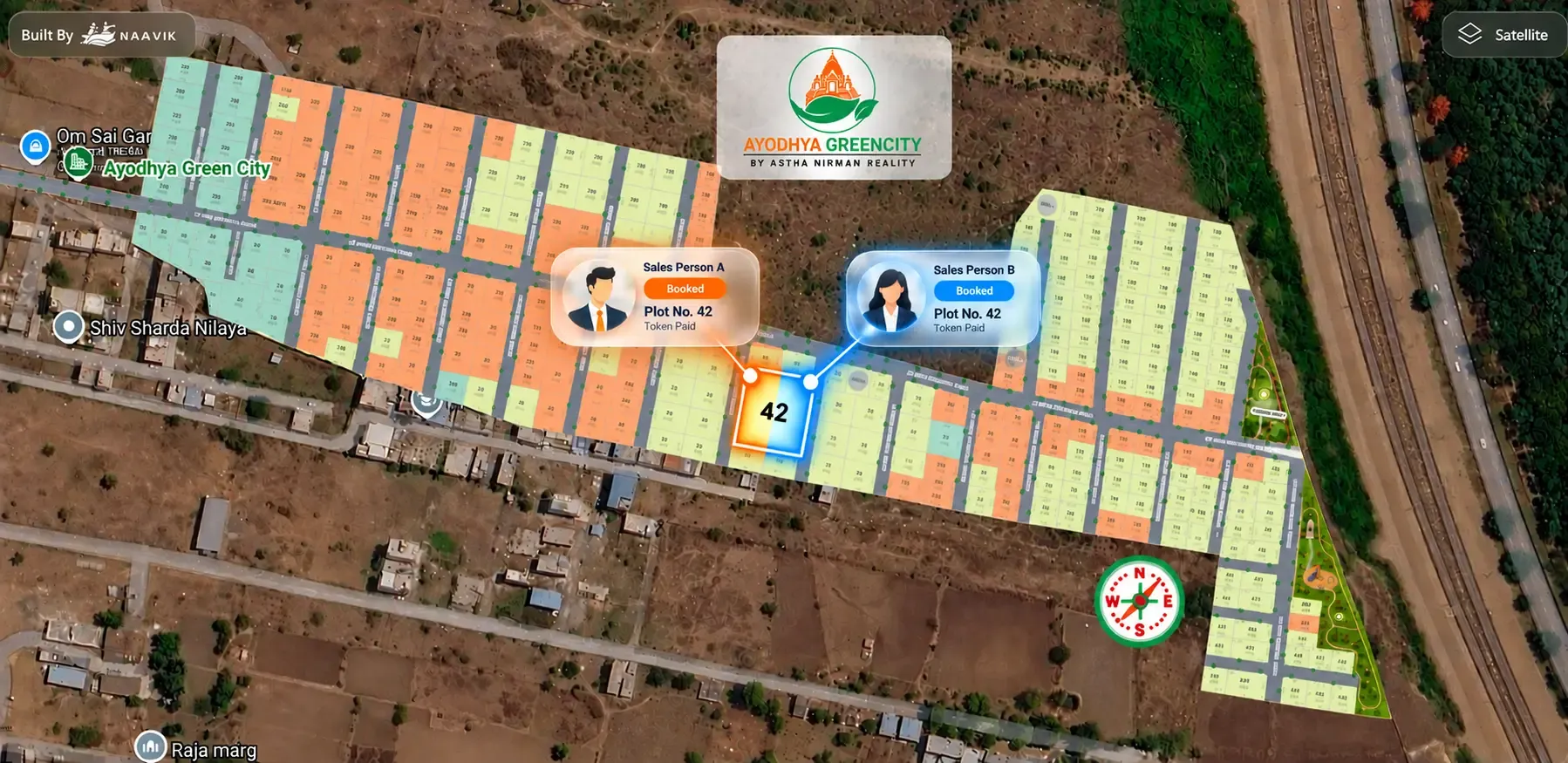
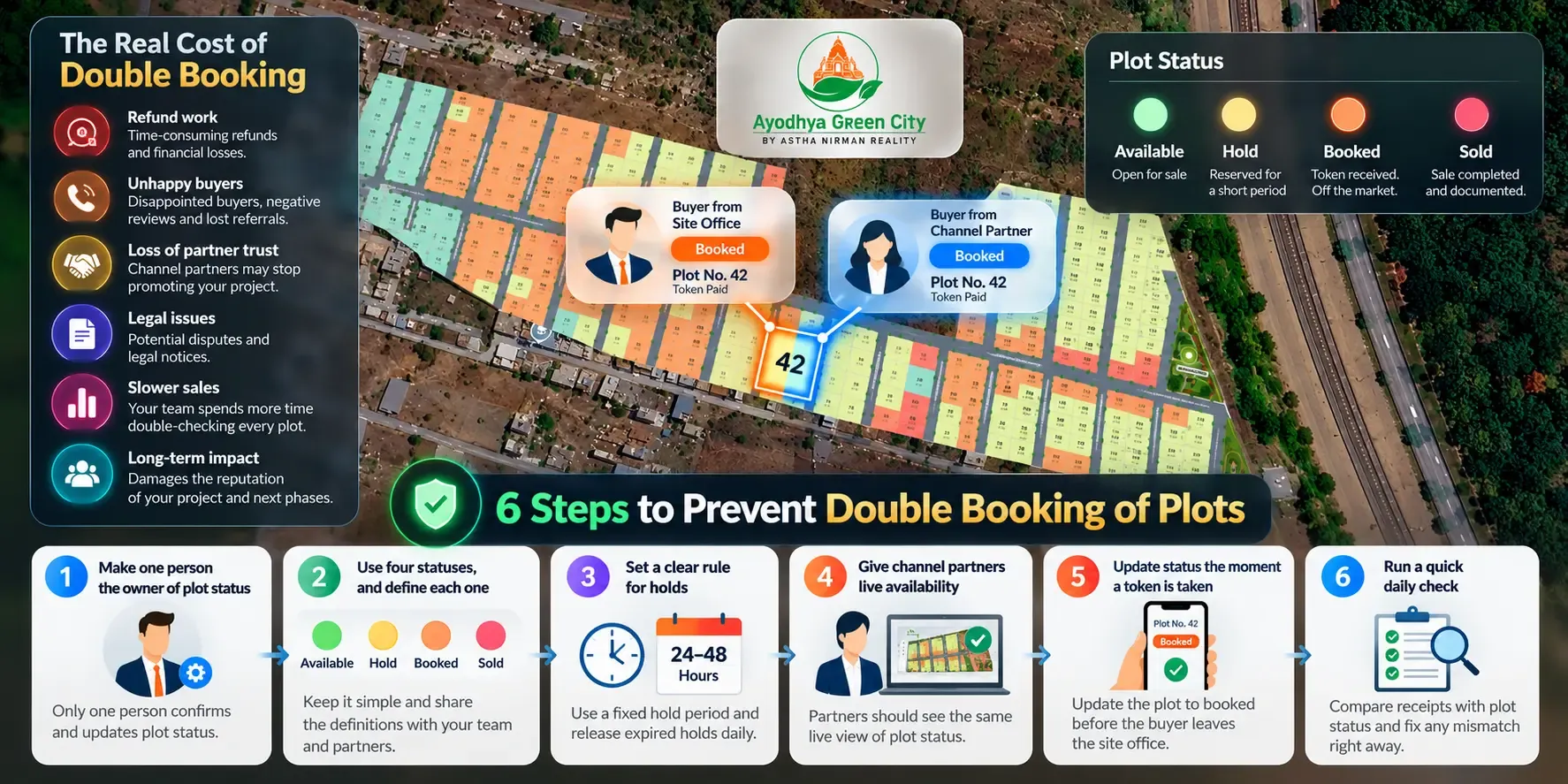
A buyer pays token money for Plot 42 at your site office. Two hours later, a channel partner calls to say his client has booked the same plot. Now you have two buyers, one plot and a problem that money alone won't fix.
Double booking of plots happens when two people sell the same plot because they are looking at different versions of your inventory. The fix is simple to describe: keep one live source of truth for plot status, and make sure everyone who sells your project sees it before they take money.
This guide explains why double booking happens in plotted projects, how to prevent it in six practical steps, and what to do if it has already happened.
Key takeaways
- Double booking is an inventory visibility problem, not a sales team problem.
- Use four plot statuses only — available, booked, hold and sold — and define each one clearly.
- Give one person ownership of status changes, and update status the moment a token is taken.
- Channel partners need to see live availability, not a PDF or a WhatsApp forward.
- If a double booking happens, act within the same day, be transparent and fix the process that caused it.
Why double booking happens in plotted projects
Most plotted projects in India are sold by several people at once. The site team, the office team and channel partners are all talking to buyers on the same weekend. Each of them needs to know which plots are still open.
The trouble starts when that information lives in different places.
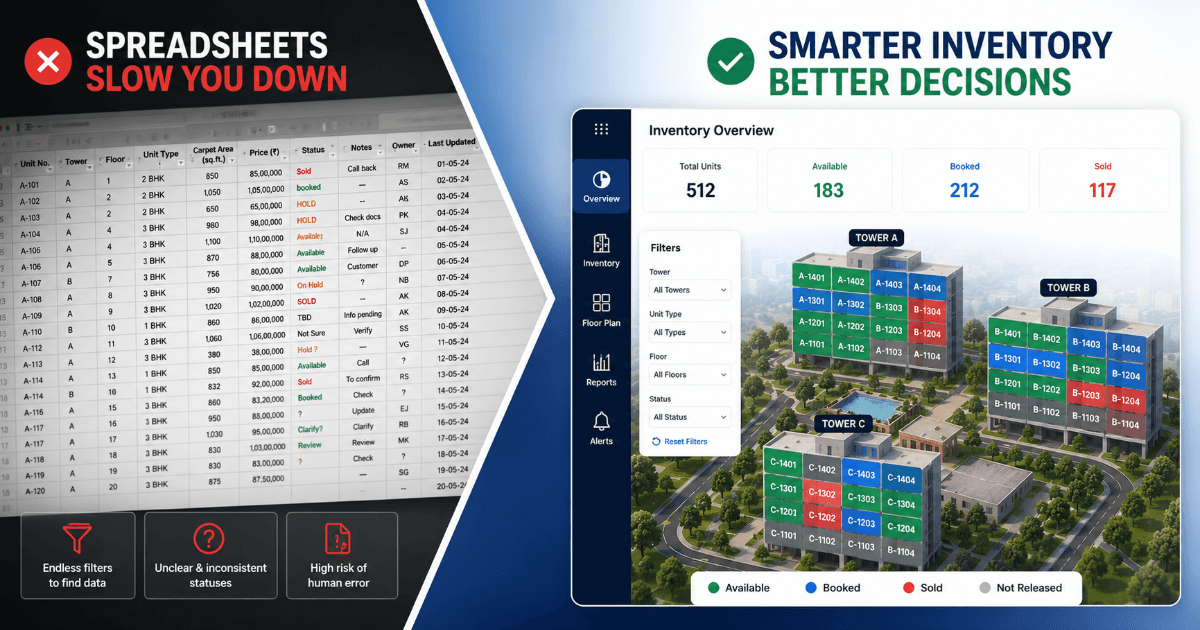
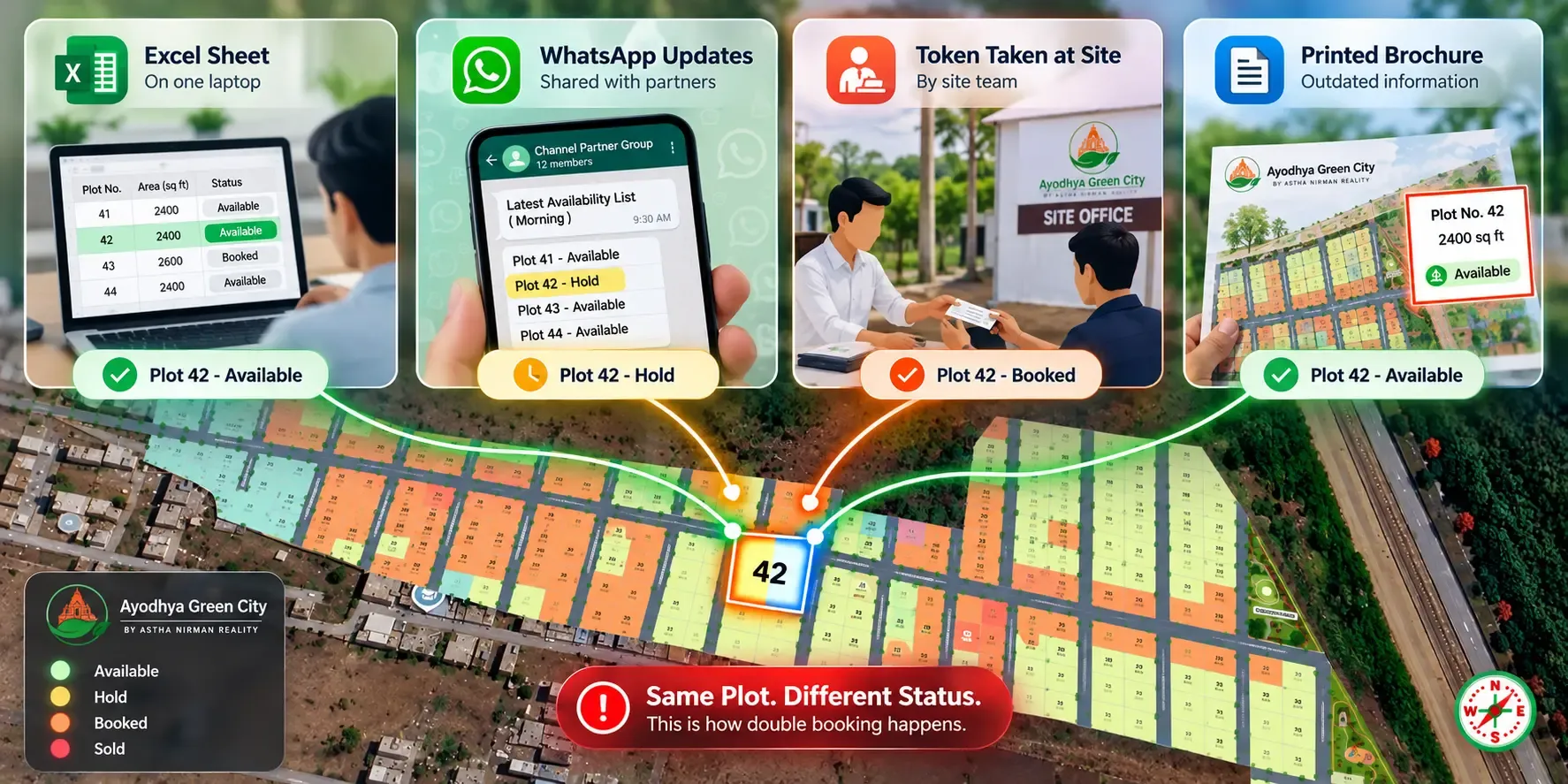
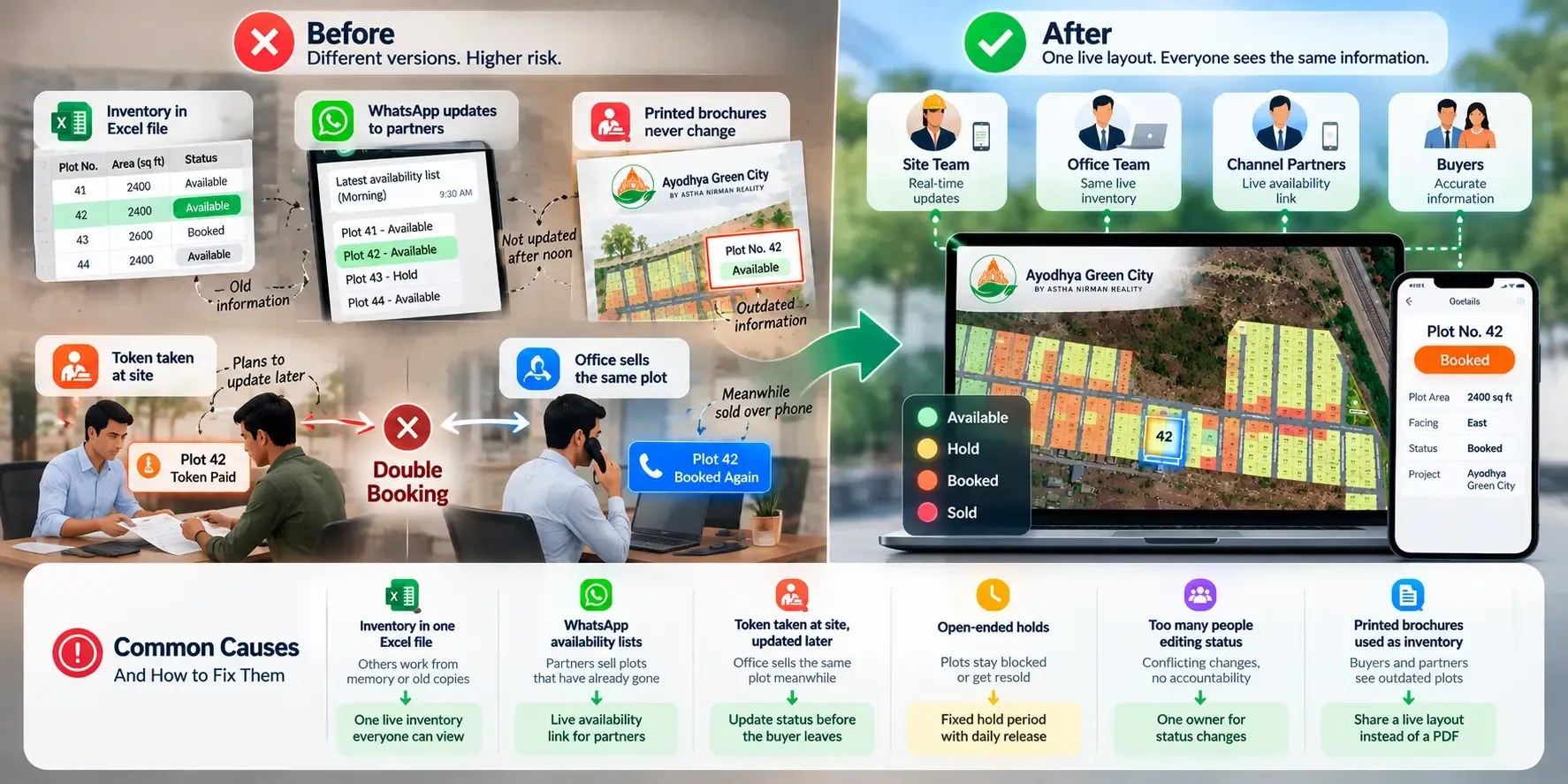
The Excel sheet on one laptop. Your inventory is tracked in a spreadsheet that one person updates. Everyone else asks them by phone. When that person is busy, out or slow to reply, salespeople guess. We have covered this in detail in why builders are moving beyond spreadsheets for inventory management.
WhatsApp updates to channel partners. You send partners an availability list every morning. By afternoon, five plots have changed. The partner is still selling from the morning list.
Token money taken at site. A buyer loves a corner plot during a site visit and pays a token on the spot. The site manager plans to update the office in the evening. Meanwhile, the office sells the same plot over the phone.
Printed brochures that never change. A brochure shows every plot as open on the day it was printed. Weeks later, buyers and partners still use it as a reference.
In every case, the cause is the same. Different people are working from different versions of your inventory.
What one double booking really costs your project
A double booking rarely stays a small mistake. One buyer has to be told that the plot they paid for is no longer theirs.
That creates refund work, awkward calls and sometimes legal notices. The buyer who loses out often tells friends and family. In plotted developments, where so many sales come through referrals, that hurts your next phase too.
It also damages trust with channel partners. A partner who loses a deal because of your inventory error is less likely to push your project next time. Your own sales team starts double-checking every plot by phone, which slows every sale down.
The real cost is not one lost booking. It is the doubt it creates in everyone who sells your project.
Six steps to prevent double booking of plots
1. Make one person the owner of plot status
Decide who is allowed to change a plot's status. It might be the sales head or a sales coordinator. Everyone else can request a change, but only the owner confirms it.
This removes the "I thought you updated it" problem. When something goes wrong, you know exactly where to look.
2. Use four statuses, and define each one
Keep plot status simple. Use these four and nothing else:
Available - Open for sale. Any salesperson or partner can offer it.
Hold - Reserved for a short, fixed period while a buyer decides. Cannot be offered to anyone else.
Booked - Token or booking amount received. Off the market.
Sold - Sale completed and documented.
Write these definitions down and share them with your team and every channel partner. Avoid informal labels like "almost booked" or "interested" — they create confusion.
3. Set a clear rule for holds
Holds are where many double bookings start. A plot sits on hold for days, and nobody remembers why.
Set a fixed hold period, such as 24 or 48 hours, depending on how your project sells. When it ends, the plot either moves to booked or goes back to available. Make one person responsible for releasing expired holds every day.
4. Give channel partners live availability
Partners should never sell from a list you sent yesterday. Give them access to the same live view of plot status that your internal team uses.
If that is not possible yet, at least agree a rule: partners must confirm availability with your status owner before taking any token money.
5. Update status the moment a token is taken
The gap between "token received" and "status updated" is where double bookings happen. Close it.
Train your site team to update the plot to booked before the buyer leaves the site office. If your system allows updates from a phone, this takes seconds.
6. Run a quick daily check
Spend ten minutes at the end of each day comparing receipts with plot status. Any token without a booked plot, or any booked plot without a receipt, needs fixing right away.
This small habit catches errors before they turn into disputes.
Common causes and how to fix them
Inventory in one Excel file - Others work from memory or old copies - One live inventory everyone can view
WhatsApp availability lists - Partners sell plots that have already gone - Live availability link for partners
Token taken at site, updated later - Office sells the same plot meanwhile - Update status before the buyer leaves
Open-ended holds - Plots stay blocked or get resold - Fixed hold period with daily release
Too many people editing status - Conflicting changes, no accountability - One owner for status changes
Printed brochures used as inventory - Buyers and partners see outdated plots - Share a live layout instead of a PDF
Example: a 150-plot project near Vadodara
The following is an illustrative scenario, not a client case study.
A developer launches 150 residential plots on the outskirts of Vadodara. Inventory sits in one Excel file with the sales coordinator. Six channel partners receive a WhatsApp list each morning.
On the first weekend, demand is high. The site team takes tokens for corner plots while the coordinator is answering calls. Two partners sell plots that were booked at site an hour earlier. By Monday, the team has three conflicts to sort out.
For the second phase, the developer changes the process. The sales coordinator becomes the only status owner. The team uses the four statuses with a 24-hour hold rule. Most importantly, everyone — site team, office and partners — now checks one live layout before offering a plot.
The site team updates status from their phones when a token is received. Partners see the change within moments. The weekend runs without a single conflict.
How live plot layouts close the gap
The steps above work best when your inventory is visible to everyone in real time. That is hard to do with a spreadsheet and chat messages.
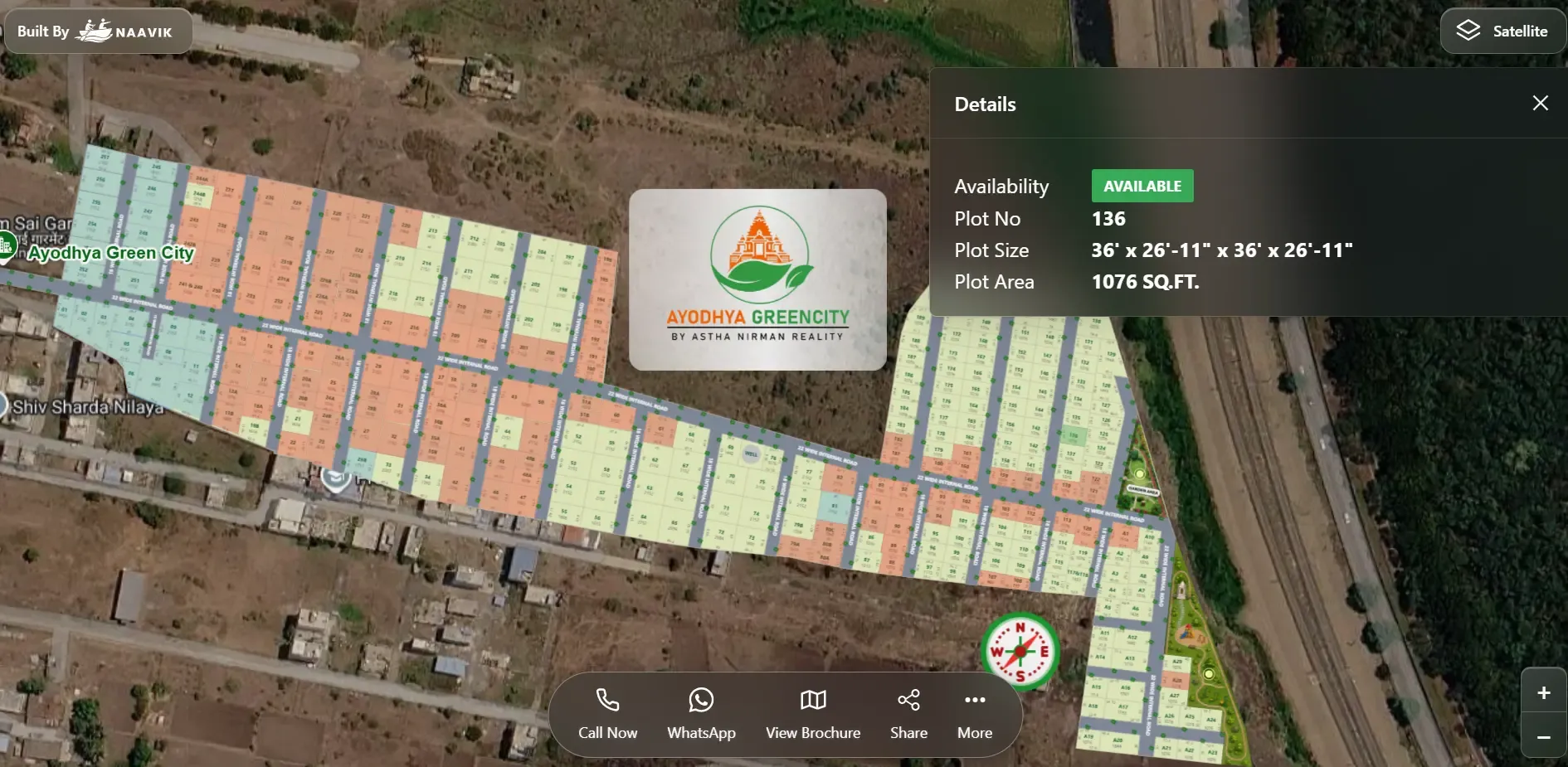
Plotter by Naavik.ai is plot management software that turns static layouts into interactive 3D site plans with real-time plot availability. Every plot on your layout is clickable and colour-coded by status, so your team and partners see the same picture at the same moment.
When a plot is booked, the layout updates for everyone. Built-in booking management and CRM keep buyer details and plot status together, and instant alerts tell your team when something changes. Plotter works as Plot Inventory Management Software and as a buyer-facing layout you can embed on your website or share by QR code.
Shyam Infrastructure uses Plotter to manage 1,200+ units in real time. For a developer handling multiple projects, that means one view of inventory instead of many spreadsheets.
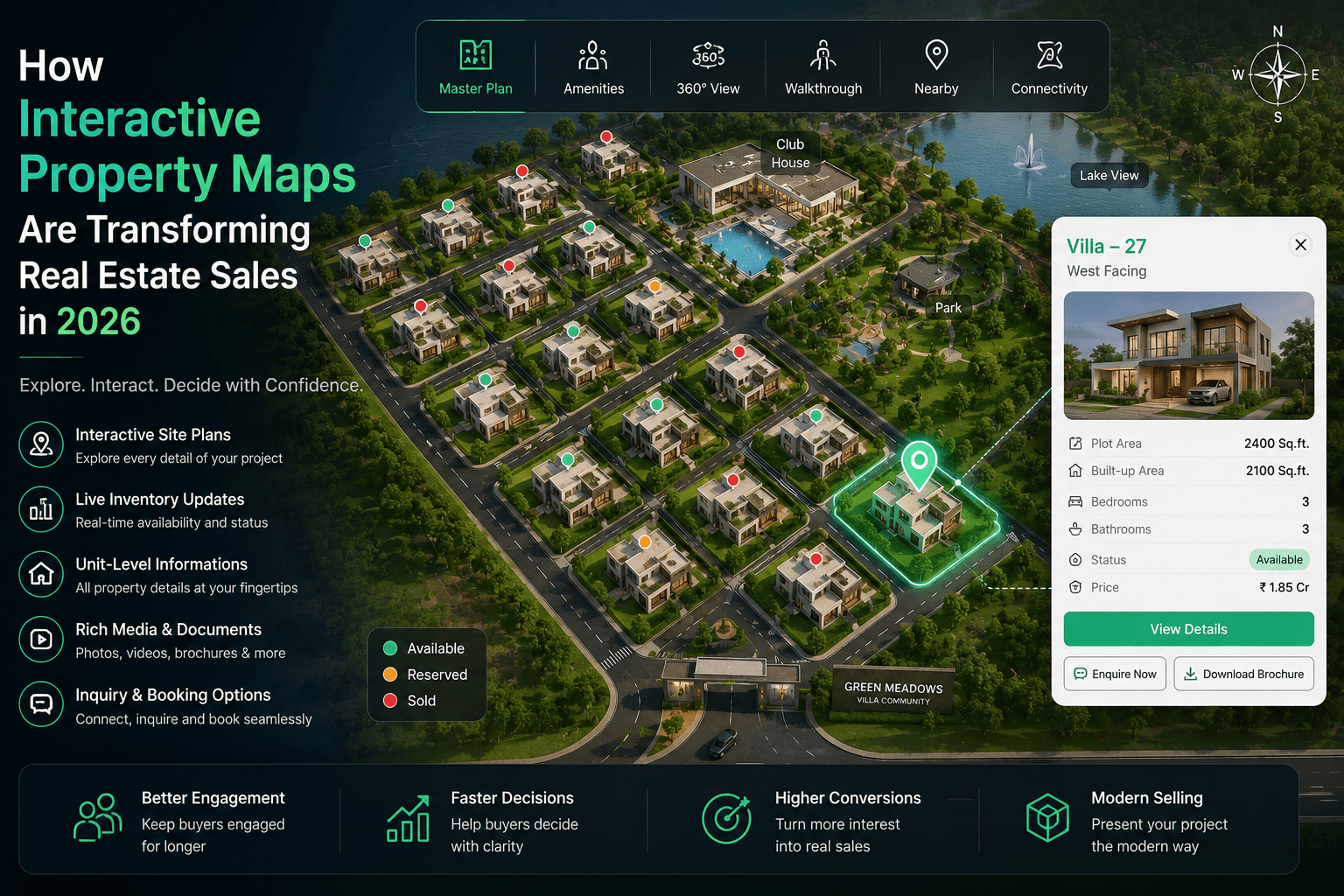
Live layouts also help buyers trust what they see. As we explained in how interactive property maps are transforming real estate sales, buyers are more confident when availability is clear and current.
What to do if a double booking has already happened
Even with good processes, mistakes can happen. How you handle the first hour matters most.
- Freeze the plot. Mark it as hold so nobody else offers it while you sort things out.
- Check the records. Compare receipts, timestamps and messages to see which booking came first.
- Call both buyers the same day. Be honest about what happened. Do not let them hear it from someone else.
- Offer a fair alternative. Suggest comparable plots — similar size, facing and location — and consider a goodwill gesture for the buyer who moves.
- Fix the process gap. Find out exactly where the update failed, and change the step that allowed it.
A well-handled double booking can still end with two happy buyers. A badly handled one can cost you both.