
Your layout has just been approved. Six months into sales, 30 plots are still unsold: the ones beside the transformer, the narrow plots on the back road and the odd-shaped corners near the boundary wall. None of them broke a rule, but the layout made them hard to sell.
Here's the short answer. Before you freeze a plotting scheme layout, check nine things: saleable area, plot-size mix, road widths, plot facing, corner and premium plots, open space placement, problem plots, plot numbering and phasing. Each one affects how fast your plots sell and at what price. Once the layout is approved and plots are registered, changing it is slow and expensive. The time to fix it is at the draft stage.
Key takeaways
- A layout can meet every rule and still sell slowly. Review the draft for sales, not just approval.
- Match plot sizes to the budgets of the buyers you actually expect, not to whatever fits the land.
- Every premium plot needs a reason the buyer can see: a park, a wider road or a corner.
- Find your problem plots before launch and decide now how you'll price, merge or reshape them.
- Number plots logically and draw phase boundaries into the layout from day one.
If you're new to the term, start with our guide on what a plotting scheme is. This post assumes you have a draft layout in hand and want to check it before submission.
1. Check your saleable area against the rules and your numbers
Saleable area is the share of your land that becomes plots you can sell. Roads, open space, amenity land and utilities take the rest.
Why it matters for sales
- Your land cost is spread across saleable area only. A few percentage points can change your per-plot pricing.
- Pushing saleable area too high usually means narrow roads or squeezed open space, which buyers notice.
How to check it
- Ask your architect for an area statement: total land, area under plots, roads, open space, amenity land and utilities.
- Compare it with the limits set by your local authority. Many authorities cap the area under plots and set minimums for open space and amenities, and these differ by state.
- Look for land lost to awkward road layouts or leftover slivers along the boundary.
2. Check the plot-size mix against your buyer bands
A layout with one plot size serves one type of buyer. A planned mix lets you serve several budgets in the same project.
Why it matters for sales
- Different sizes create natural price bands, from entry-level plots to larger premium ones.
- If one size sells out early, you can't easily create more of it after approval.
How to check it
- List the plot sizes in the draft and count how many plots fall in each size band.
- Ask your sales team which sizes sold fastest in your last project or in nearby projects.
- Check the proportions too, not just the area. Many planners aim for a depth of about one and a half to two times the frontage. Very narrow, deep plots are harder to build on and harder to sell.
3. Check road widths and the road pattern
Roads are usually the largest non-saleable use of land. They also shape how buyers feel about the project from the first visit.
Why it matters for sales
- Buyers often pay more for plots on wider roads. Wider roads also make construction access easier.
- In many places, the width of the road a plot faces affects what the owner is allowed to build on it.
How to check it
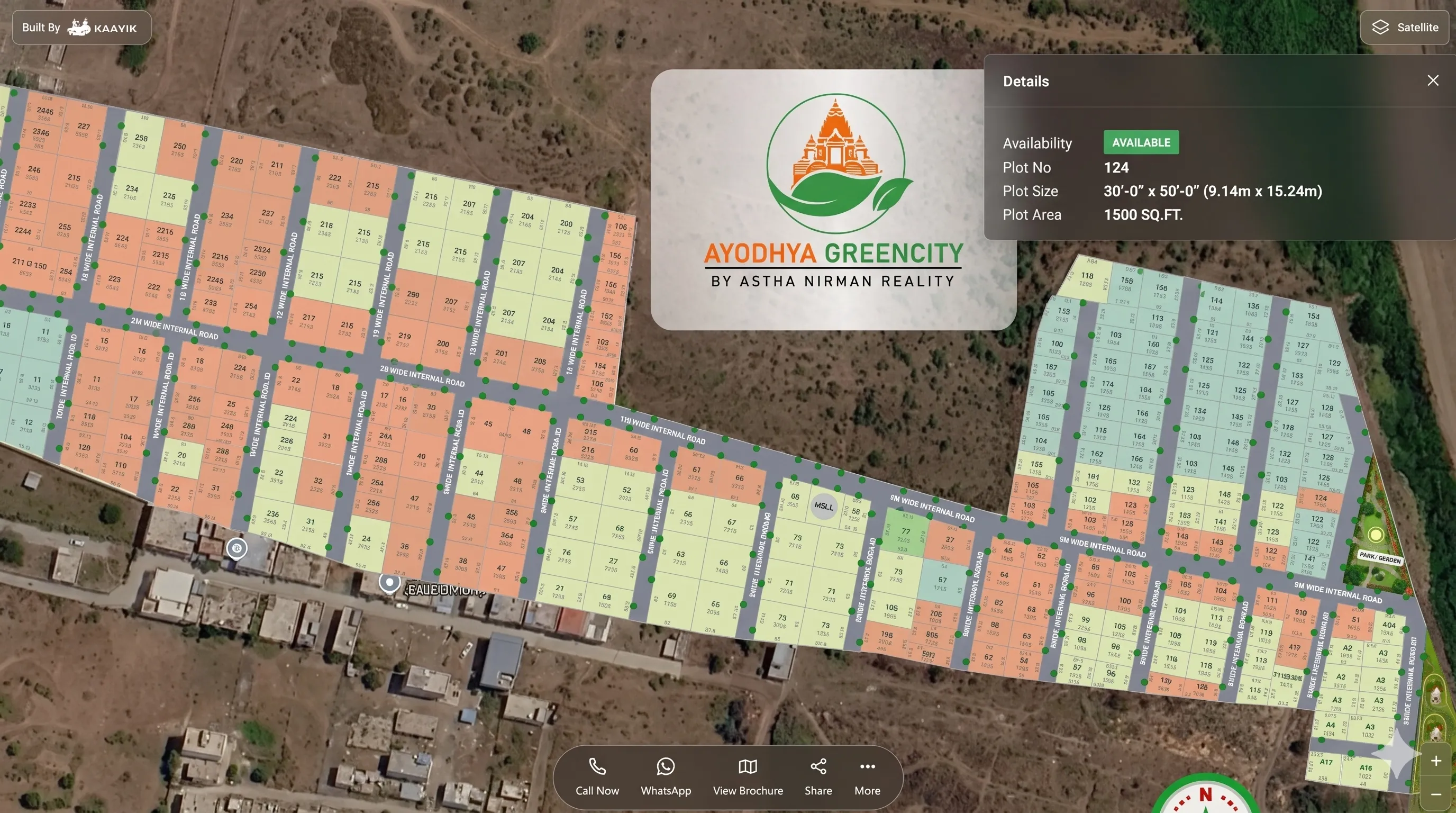
- Confirm that every internal road meets the minimum width your authority sets. Many authorities set minimums of roughly 9 to 12 metres (about 30 to 40 feet), often linked to road length. Confirm your local rule.
- Look for a clear hierarchy: one wider entry road, then narrower internal roads.
- Check frontage efficiency. Roads with plots on both sides use land better than roads that serve plots on one side only.
- Remove dead ends where you can, or add a proper turning space.
4. Check the spread of plot facing
Facing is the direction a plot's front, or its main road side, points. In many Indian markets, buyers have clear preferences, often for east- and north-facing plots.
Why it matters for sales
- If most of your plots face a less preferred direction, you may see slower sales or pressure on price.
- A good spread of facings gives your sales team options for every buyer.
How to check it
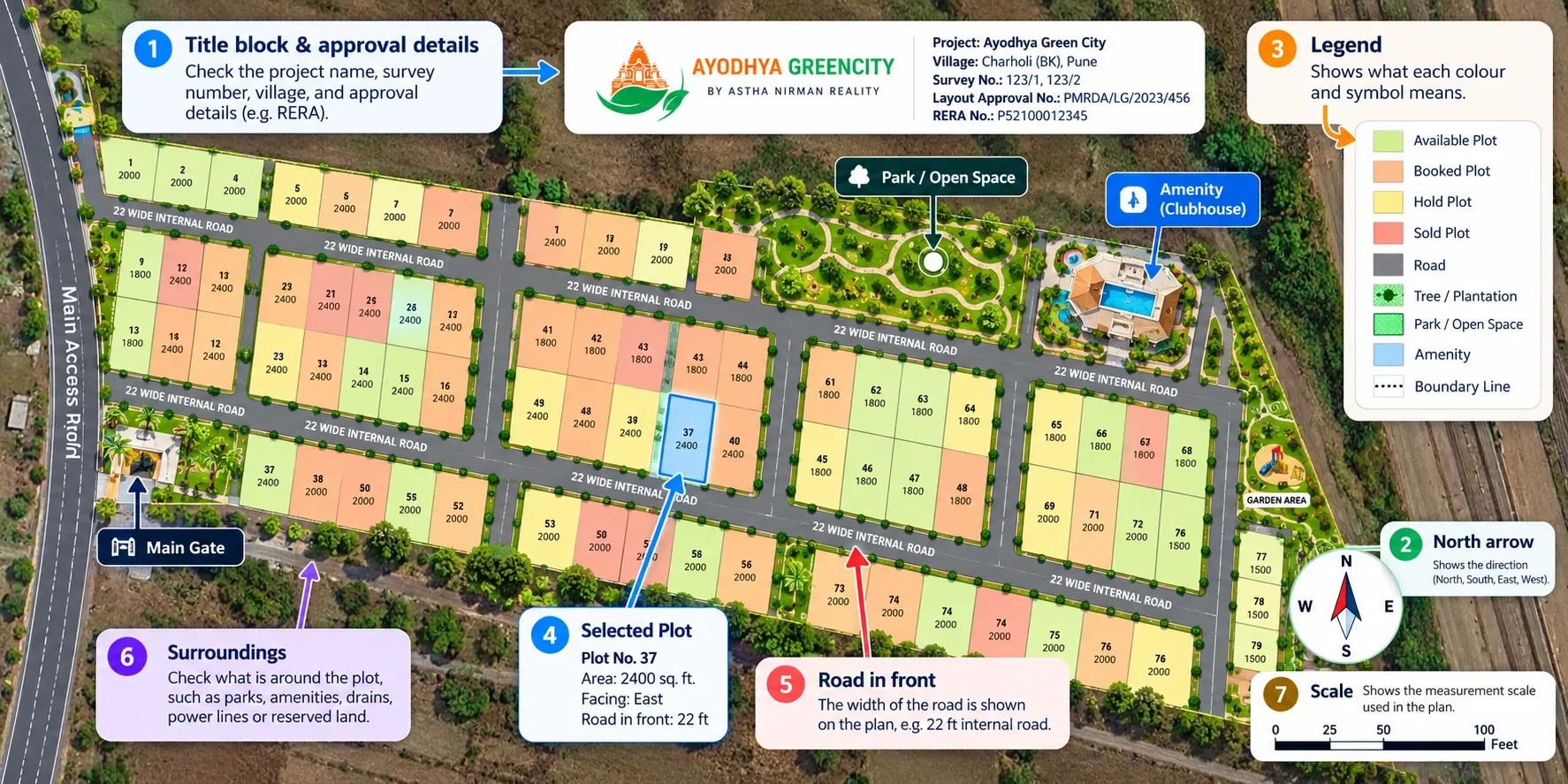
- Mark the north arrow on the draft and label the facing of each plot.
- Count how many plots face each direction.
- Where a road can be shifted or a block rotated without losing area, test whether it improves the facing spread.
Our guide on how to read a site plan explains how buyers work out facing from a layout.
5. Check that every premium plot has a visible reason
Corner plots, park-facing plots and plots on the main road are often priced higher. Buyers accept that only when the reason is obvious.
Why it matters for sales
- A "premium" plot with no clear advantage sits unsold or gets negotiated down.
- A clear premium logic also helps your team explain pricing without long arguments.
How to check it
- List every plot you plan to price higher, and write down the reason next to each one.
- Check corner plots for real usable frontage. Corners cut by a road curve or a splay can lose more than they gain.
- Make sure the advantage will still exist after development. A "park-facing" plot that faces a future substation won't stay premium.
6. Check where the open space sits
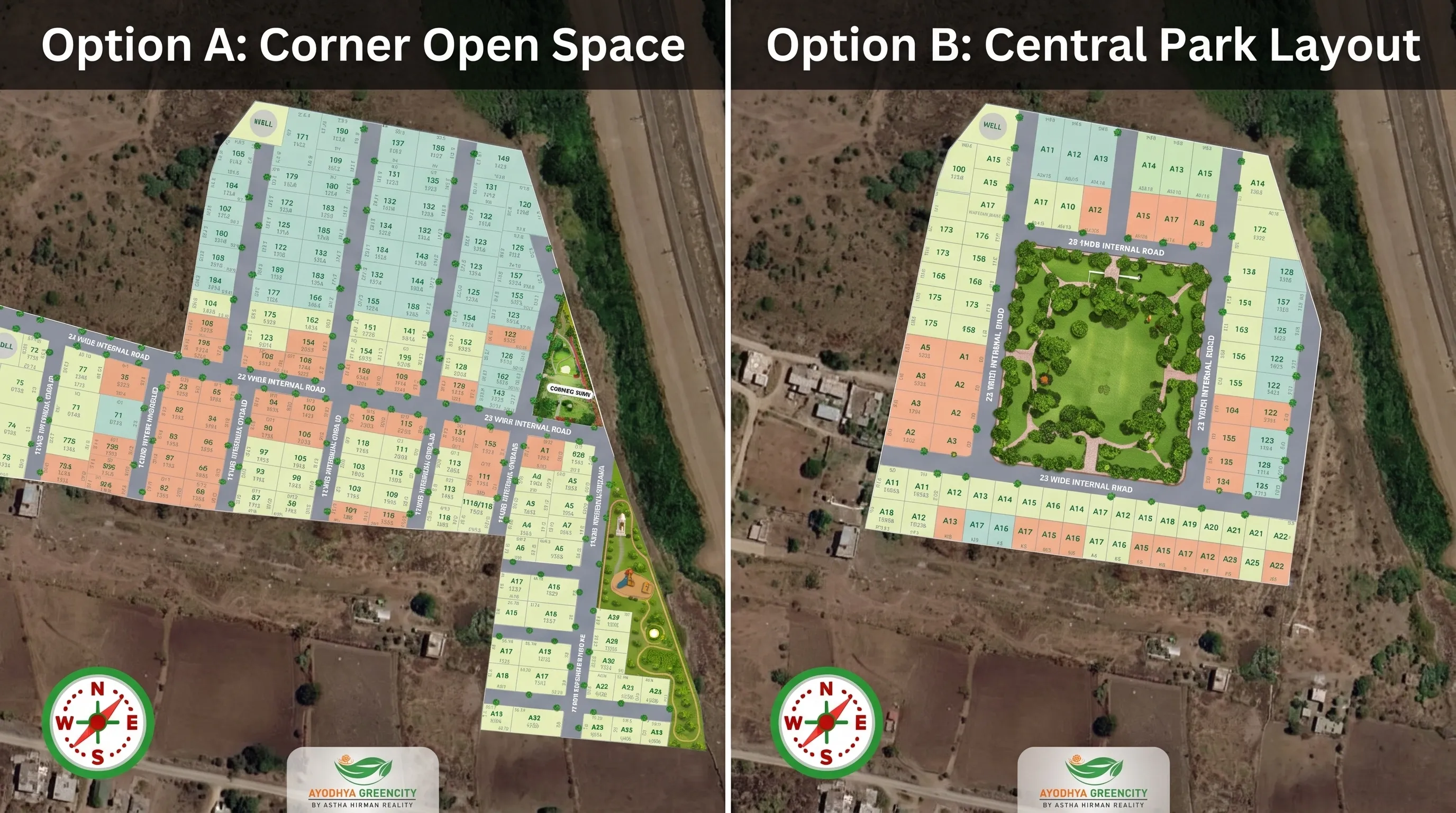
Most authorities require part of the layout to be kept as open space. Where you put it matters as much as how much you keep.
Why it matters for sales
- Open space placed centrally, or spread across the layout, lifts the value of the plots around it.
- Open space pushed into a leftover corner meets the rule but adds little value to the project.
How to check it
- Confirm the minimum open space your authority requires. In many states it's around a tenth of the layout area, but it varies.
- Count how many plots face or sit next to the open space.
- Check that amenity areas, such as a clubhouse or temple plot, are easy to reach from all parts of the layout.
7. Check for problem plots
Problem plots are the ones buyers avoid. Most layouts have a few. The aim is to know which ones they are before launch.
Common problem plots
- Plots next to a transformer, substation or pumping station
- Plots backing onto a drain, nala or high-tension line corridor
- Plots against the boundary wall with no view or outlook
- Plots facing a highway with noise and no service road
- Irregular, triangular or very narrow plots left over from the land shape
How to check it
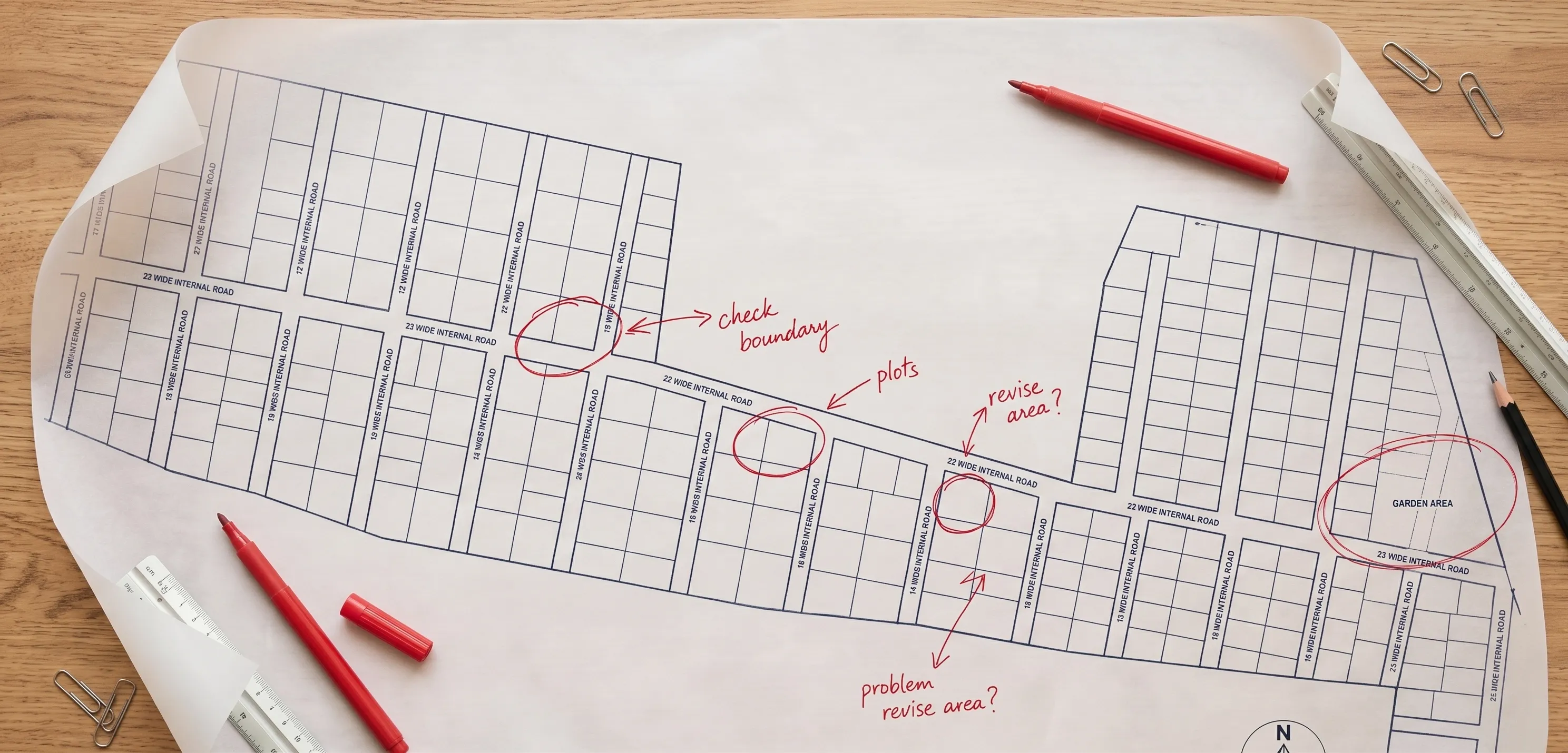
- Mark utility locations on the draft and circle every plot next to one.
- For each problem plot, decide now: reshape it, merge it with a neighbour, use the land as green buffer, or price it lower from launch.
- Ask whether a small layout change would move a transformer or pumping station to a less sensitive spot.
8. Check the plot numbering
Plot numbers seem like a detail until your sales team starts using them on calls every day.
Why it matters for sales
- Numbers that jump around the layout make it hard for buyers and sales staff to find plots.
- Gaps and repeated numbers cause confusion in bookings, agreements and registration.
How to check it
- Number plots in a logical run along each road, block by block.
- Avoid gaps. If a plot is merged or removed, renumber before approval rather than leaving a missing number.
- Use a clear block or sector prefix on larger layouts, such as A-12 or B-07.
- Make sure the same numbers will be used in the approved plan, the price list, the booking records and the marketing.
9. Check whether the layout can be phased
On larger land, you may not develop or release every plot at once. Phasing is much easier when the layout was drawn with it in mind.
Why it matters for sales
- Releasing plots in phases lets you manage inventory and adjust pricing as sales progress.
- Buyers in the first phase need finished roads and services near their plots, not in the far corner.
How to check it
- Mark possible phase boundaries along roads, not through blocks.
- Make sure the first phase has its own road access, services and a share of the open space.
- Check whether each phase can be completed and handed over on its own.
Our guide on interactive masterplans for townships covers how to present phased projects to buyers.
Example: reviewing a 10-acre plotting scheme near Vadodara
This is an illustrative example, not a client case.
A developer has a draft layout for 10 acres (about 48,400 sq yd) on the edge of Vadodara. The draft has about 160 plots, almost all of 150 sq yd.
What the review found
- One plot size. The developer's past buyers ranged from first-time buyers to families wanting larger plots. One size served only one group.
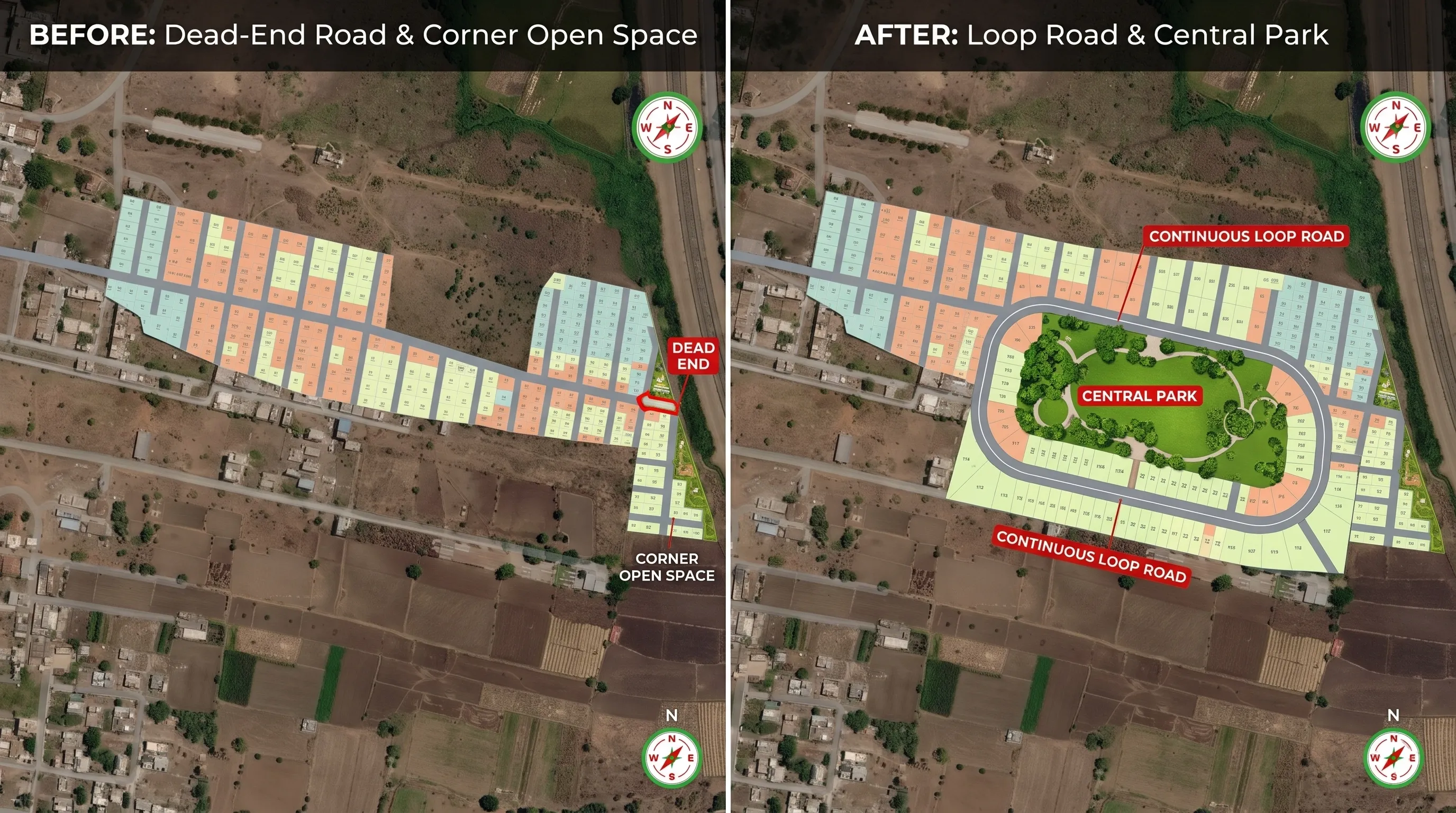
- A dead-end road. One long road served plots on one side only and ended without a turning space.
- Open space in a corner. The required open space was a strip along the back boundary. Very few plots faced it.
- About 20 problem plots. These sat beside the transformer, along the highway boundary or in irregular corners.
- Drawing-order numbering. Plot numbers followed the order the architect drew them, so Plot 14 sat next to Plot 87.
What changed before submission
- The dead end became a loop, so most roads now serve plots on both sides.
- The open space moved to the centre as a park, with plots facing it on all sides.
- Plot sizes were mixed into four bands: about 120, 167, 200 and 250 sq yd.
- The transformer moved next to the open space buffer, and the worst corner slivers became green space.
- Plots were renumbered block by block, with a letter prefix for each block.
- The layout was split into two phases along the main loop road.
The result
The revised layout had a similar number of plots. More of them faced the park or a wider road, and only a handful still needed lower launch pricing. The sales team knew those plots from day one.
After you finalise: make the layout easy to explore
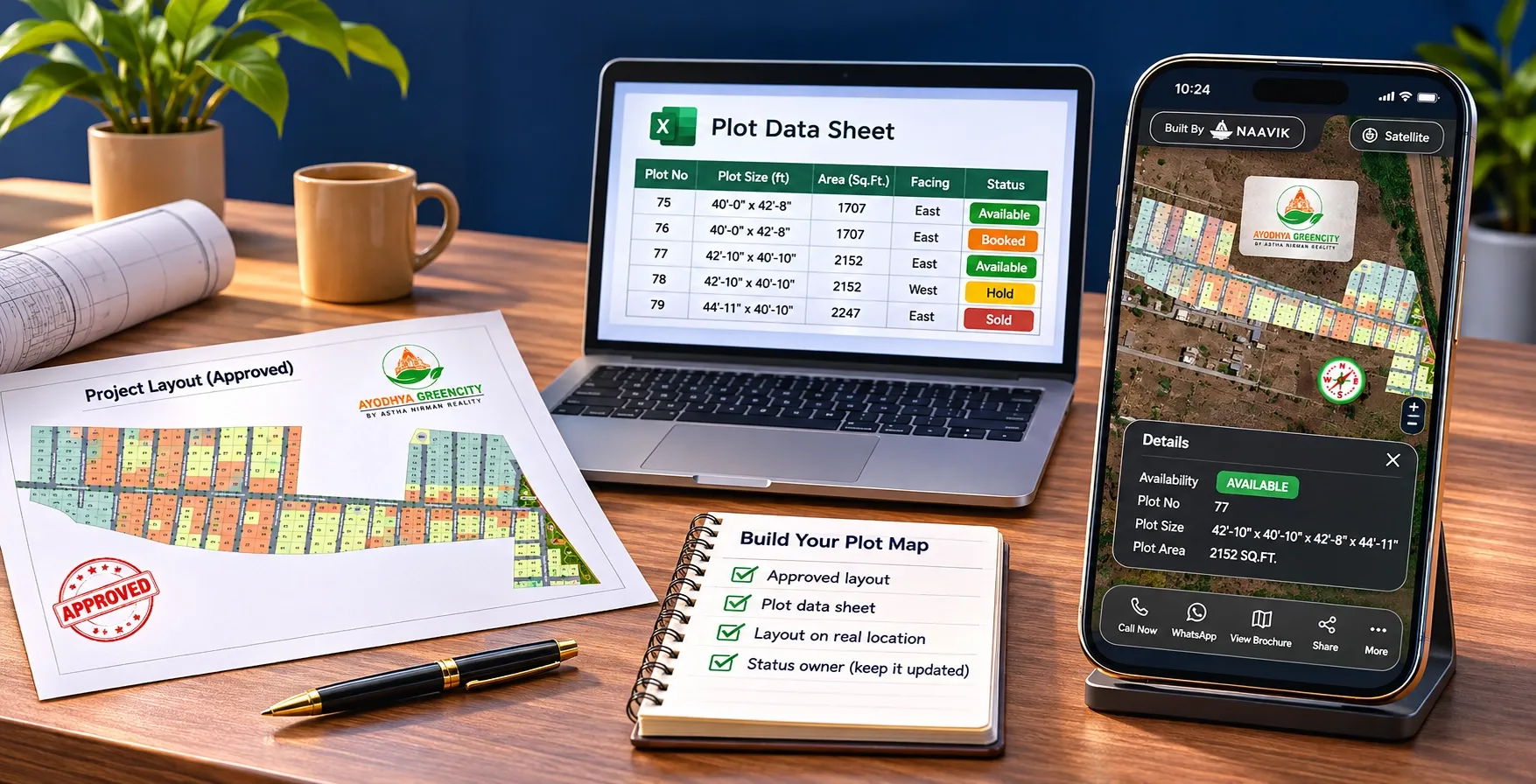
Once the layout is approved, the next job is helping buyers and your sales team use it. A PDF works on day one, but it starts going out of date with the first booking.
Plotter by Naavik.ai is plot management software that turns static layouts into interactive 3D site plans with real-time plot availability.
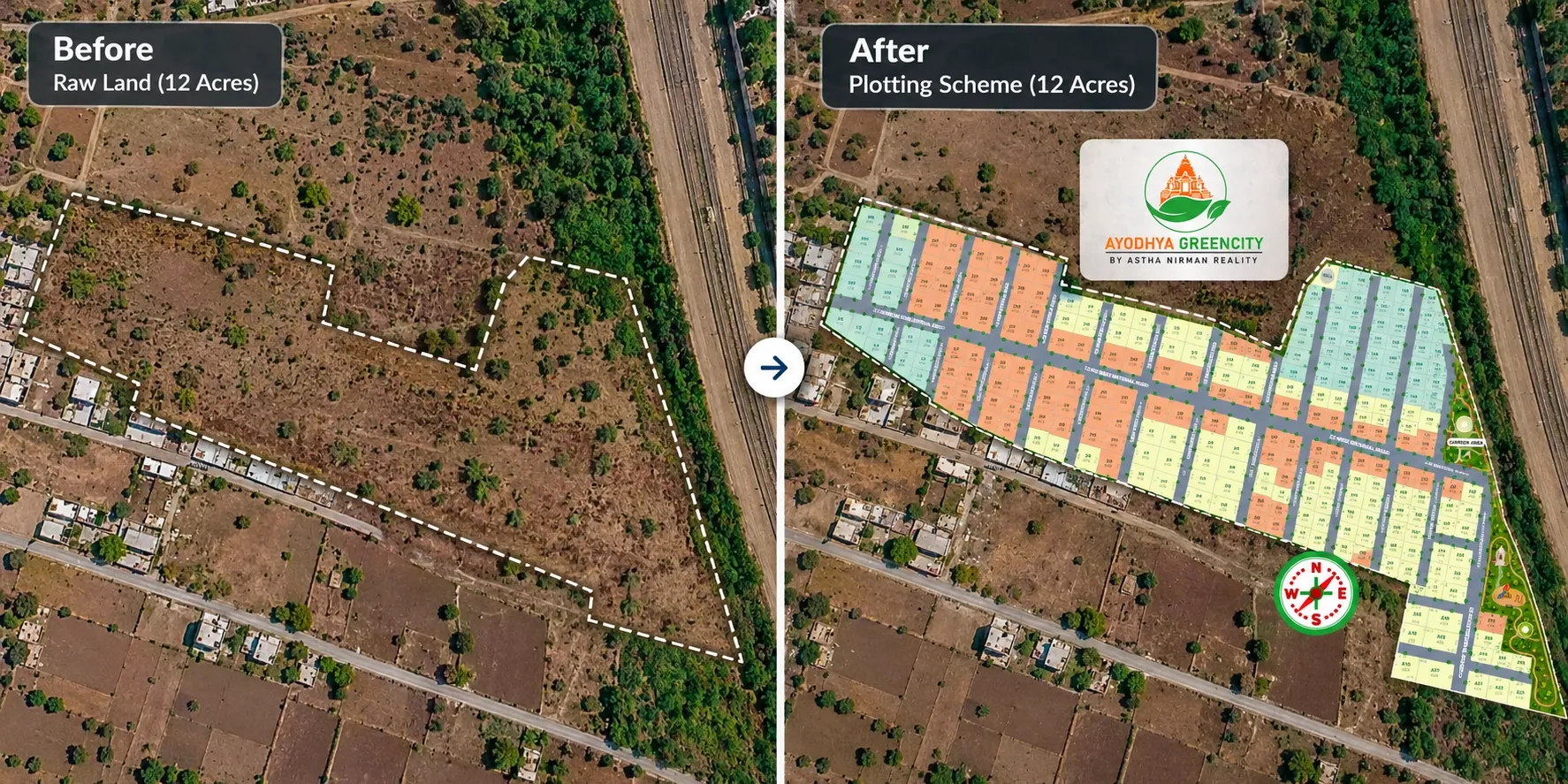
As plot mapping software, Plotter places your approved layout over Google Maps or OpenStreetMap. Every plot is clickable and colour-coded by its status: available, sold, booked or hold. Buyers can see the park, the wider roads and nearby landmarks around each plot, which makes your premium logic easy to explain.
Plot booking management, the built-in CRM and the analytics dashboard sit in the same platform. When a plot is booked, its status updates for everyone, so your team and channel partners don't pitch plots that are already gone. Ayodhya Green City in Pune is one of the live projects on Plotter, and Shyam Infrastructure uses it to manage 1,200+ units in real time.
If you're preparing the layout for this step, our guide on how to create a plot map walks through it.